Your workflow is unique 👨💻 - tell us how you use Dropbox here.
Forum Discussion

mz5
5 months agoHelpful | Level 6
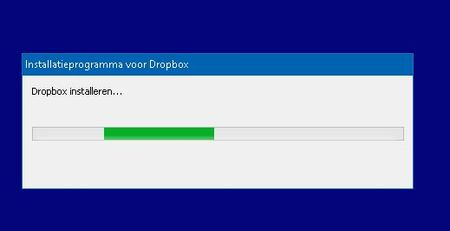
Dropbox required update, but update failed and so does clean install
Application Affected Dropbox Device HP Probook 650 Operating System/Browser (if using the web) Windows 10 Pro Dropbox App Version (if using the app) none at this moment, not able to install ...
 5 months ago
I get it, so no easy solution anywhere in sight. But thanks anyway for your efforts!
Dropbox has been providing an excellent solution to me for the last 6 or 7 years. Unfortunately now it seems the product quality has gone downhill and no longer forfills my needs so I have to move on. From my viewpoint as a customer, I need a simple solution that forfills my needs and that works. Not something that requires hours and hours of troubleshooting, and even if we would manage to get it to work now, I do not have a lot of fate anymore that the next update won't break it again.
I just installed another cloud storage product from one of your competitors, took me in total 2 minutes setup time and everything works like a dream straight away. Same price and my data stays in the EU, which is a bonus to me. So I'm happy.
I will end my Dropbox subsciption here, best of luck to you all!

Brian M
5 months agoNew member | Level 2
Hi. Likewise having trouble with the required update - just get "On your marks". Its the same with the Dropbox installer and the offline installers (latest version I tried was 233.4.4938). I don't want to do a restore to an older date as I gather I will still be forced to upgrade. That will also affect other programs on the PC as they will get reset (currently working fine). Using Win 10 ver 22H2 on a 64 bit PC, with no other apparent issues. Hope someone can help as this is used for files to do with a community help role I have.
Thanks
Brian
- Megan5 months ago
Dropbox Community Moderator
Hi Brian M, let's jump into this!
Can you let me know the exact error or behavior that you notice on your end when trying to update our desktop app?
Did you make sure that this is not caused by security software on your computer or your network settings? Do you have any proxy, VPN, security software, or even ISP/router settings that could be restricting traffic to the following Dropbox domains?
Can you try these steps for an advanced reinstall?
Let me know more, and we'll take it from there!
- Brian M5 months agoNew member | Level 2
Thanks for the prompt reply Megan. There is no particular security software (other than Defender etc) and I have tried it multiple times with no firewall. There is no VPN or weird router settings that I know of. The previous version of Dropbox has been running with all the same configurations for a couple of years at least. There is never any kind of error message. The exe program shows up in the Task monitor briefly, but with little or no CPU activity associated. In the registry there was a folder in WOW6423Node called dropboxupdate. Likewise in the other file locations that were referred to in the advanced instructions - no mention of dropbox - just "dropboxupdate". I deleted all such folders but they return just the same if the update is run again.
Well, after all that, and deleting keys and folders yet again, the dropbox installer failed again (error message below) but I tried the version 233.4.4938 (yet again) - and it worked!
Mysterious but thanks very much.
Regards Brian

About Apps and Installations
Have a question about a Dropbox app or installation? Reach out to the Dropbox Community and get solutions, help, and advice from members.
The Dropbox Community team is active from Monday to Friday. We try to respond to you as soon as we can, usually within 2 hours.
If you need more help you can view your support options (expected response time for an email or ticket is 24 hours), or contact us on X, Facebook or Instagram.
For more info on available support options for your Dropbox plan, see this article.
If you found the answer to your question in this Community thread, please 'like' the post to say thanks and to let us know it was useful!


