We’re Still Here to Help (Even Over the Holidays!) - find out more here.
Forum Discussion

gerryvdbyl
3 years agoExplorer | Level 3
Dropbox won't start on MacBook.
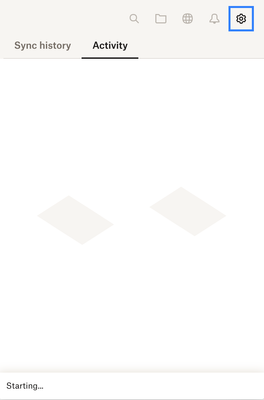
Dropbox won't start on my MacBook anymore. It worked for years, but suddenly it stopped.
When I click on the icon in the top bar, it used to show recent files, access to files, etc. Now it jus s...

gerryvdbyl
3 years agoExplorer | Level 3
Hi Megan
The version on my MacBook is 180.4.4912. This is the one that doesn't start up.
The version on my IMAc that works is also 180.4.4912, but this one works perfectly.
I do not have a proxy or VPN running. But the Apple Firewall is active on both devices, and both devices connect to the internet via the same wifi network, same router and same ISP fibre internet connection.

Megan Dropbox Community Moderator
3 years agoDropbox Community ModeratorHi gerryvdbyl, thanks for letting me know!
If you right click on your Dropbox folder in your Finder, and check its Properties, can you let me know how many files you have there?
Would it be more than the app's 300K soft limit?
- gerryvdbyl3 years agoExplorer | Level 3
Hi Megan
Currently I have 41056 items in my Dropbox. But surely if it was the "soft limit", I'd experience the same problem on all devices?
According to Finder Get Info:
"176,510,637,499 bytes (3.65 GB on disk) for 41,056 items"
Gerry
- Megan3 years ago
Hey Gerry, I just reached out via email, in order for us to have a closer look into this!
About Apps and Installations
Have a question about a Dropbox app or installation? Reach out to the Dropbox Community and get solutions, help, and advice from members.
The Dropbox Community team is active from Monday to Friday. We try to respond to you as soon as we can, usually within 2 hours.
If you need more help you can view your support options (expected response time for an email or ticket is 24 hours), or contact us on X, Facebook or Instagram.
For more info on available support options for your Dropbox plan, see this article.
If you found the answer to your question in this Community thread, please 'like' the post to say thanks and to let us know it was useful!


