Your workflow is unique 👨💻 - tell us how you use Dropbox here.
Forum Discussion

Jhood89
3 years agoExplorer | Level 3
Moving from C drive to D drive (two Dropbox folders) - anything to worry about?
Hi gang,
So I've gotten myself into a mess - and hoping you can tell me if this process is going to create any big headaches or problems for me? What's the situation? I have a Dropbox ...

Hannah Dropbox Community Moderator
3 years agoDropbox Community ModeratorHey Jhood89, thanks for posting to the Dropbox Community today!
You'll actually want to follow these steps below, to resolve this issue:
- Uninstall Dropbox.
- Rename your existing Dropbox folder (the one in D) to "Dropbox (old)" or similar.
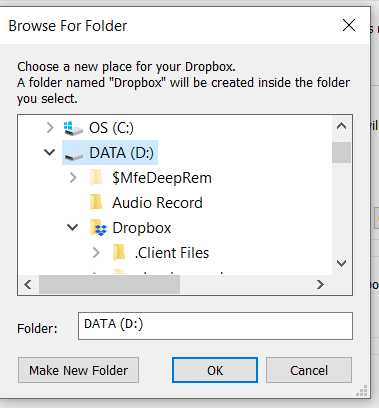
- Reinstall Dropbox and select the location that you want for the Dropbox folder from the advanced settings during the installation.
- When the installation is finished, Dropbox will immediately start to sync, so you'll need to pause syncing or exit Dropbox.
- Move only the content of "Dropbox (old)" into the newly created Dropbox folder. When the move is complete, and not before, resume syncing or re-launch Dropbox.
Let me know how it goes!
About Apps and Installations
Have a question about a Dropbox app or installation? Reach out to the Dropbox Community and get solutions, help, and advice from members.
The Dropbox Community team is active from Monday to Friday. We try to respond to you as soon as we can, usually within 2 hours.
If you need more help you can view your support options (expected response time for an email or ticket is 24 hours), or contact us on X, Facebook or Instagram.
For more info on available support options for your Dropbox plan, see this article.
If you found the answer to your question in this Community thread, please 'like' the post to say thanks and to let us know it was useful!


