Our Community is in read-only mode until April 8th, learn more here. You can still search existing threads or get help via Dropbox Support, the Dropbox Help Center, or Learn.
Forum Discussion

atxmama
6 months agoNew member | Level 2
My desktop app says it's updated, but I see no content inside my Dropbox folder.
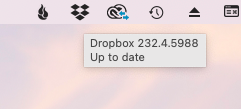
Application Affected Dropbox desktop app Device Mac Studio 2025 Operating System/Browser (if using the web) Sequoia 15.6.1 Dropbox App Version (if using the app) 232.4.5988
I got a pop up te...

Megan Dropbox Community Moderator
6 months agoDropbox Community ModeratorHey atxmama, sorry to hear about that!
I definitely see where you're coming from, and how important it is to get back syncing your work.
With that being said I was able to locate your active ticket on our system. It seems your case has been escalated to our specialized agents, therefore I believe it's best to wait for their instructions before moving further.
I deeply appreciate your patience while our team is working to resolve this. I've left an internal note for the agent working on your case.
Hang tight, and they'll get back to you as soon as possible. Thank you so much!
About Apps and Installations
Have a question about a Dropbox app or installation? Reach out to the Dropbox Community and get solutions, help, and advice from members.
The Dropbox Community team is active from Monday to Friday. We try to respond to you as soon as we can, usually within 2 hours.
If you need more help you can view your support options (expected response time for an email or ticket is 24 hours), or contact us on X, Facebook or Instagram.
For more info on available support options for your Dropbox plan, see this article.
If you found the answer to your question in this Community thread, please 'like' the post to say thanks and to let us know it was useful!


