We’re Still Here to Help (Even Over the Holidays!) - find out more here.
Forum Discussion

5puj47980xk
6 months agoNew member | Level 2
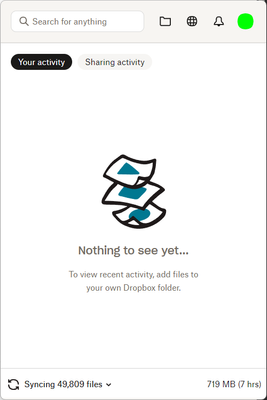
My entire Dropbox content is being re-synced, and I have no idea why.
Today DB choose to re-sync the entire folder from the beginning
os: windows
time wasted: unknow

eelmore
6 months agoHelpful | Level 6
I had a similar issues y'day - came in and realized all the work I was doing wasn't able to be viewed by colleagues I shared files with bc everything was still syncing on my computer. Things also "appear" differently in my Windows Explorer, so I suspect Dropbox pushed out some sort of update and it ain't workin' quite right. Files I edit are taking SO LONG to sync and it's preventing me from sharing new, important drafts with leadership for an announcement.
About Apps and Installations
Have a question about a Dropbox app or installation? Reach out to the Dropbox Community and get solutions, help, and advice from members.
The Dropbox Community team is active from Monday to Friday. We try to respond to you as soon as we can, usually within 2 hours.
If you need more help you can view your support options (expected response time for an email or ticket is 24 hours), or contact us on X, Facebook or Instagram.
For more info on available support options for your Dropbox plan, see this article.
If you found the answer to your question in this Community thread, please 'like' the post to say thanks and to let us know it was useful!


