Your workflow is unique 👨💻 - tell us how you use Dropbox here.
Forum Discussion

sarasheep
1 year agoExplorer | Level 3
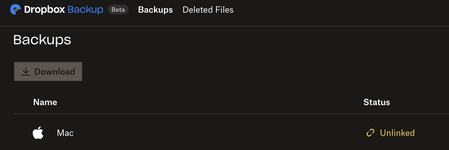
My Mac appears as "Unlinked", syncing icons missing and unable to open files
Anyone experience similar situation?
My Mac is suddenly disconnected from dropbox and on the website it shows "Unlinked".
All my files are missing icons and I cannot open files eit...

Hannah Dropbox Community Moderator
1 year agoDropbox Community ModeratorThanks for bringing this to our attention, sarasheep.
If you take a look at the list of connected devices in your account settings, does this computer appear in the list?
Also, if you click on your Dropbox icon, do you see your profile pic/initials, so you can click on it, to go to the "account" tab in preferences and see that the app is indeed linked to your account?
Let me know what you find.
 sarasheep1 year agoExplorer | Level 3
Hannah, thanks for reaching out.
I have checked the list of connected device in my account setting and yes my mac does appear in the list;
and Also my profile appears when i click my Dropbox icon & in the account tab in Preference, the app is linked to my account.
- Hannah1 year ago
Thanks for the update, sarasheep!
That's pretty strange indeed.
What do you see when you hover over the Dropbox icon in your menu bar?
- sarasheep1 year agoExplorer | Level 3
Hannah, this is what I see when i hover around over the Dropbox icon, i think it's showing the progress of the back up
About Apps and Installations
Have a question about a Dropbox app or installation? Reach out to the Dropbox Community and get solutions, help, and advice from members.
The Dropbox Community team is active from Monday to Friday. We try to respond to you as soon as we can, usually within 2 hours.
If you need more help you can view your support options (expected response time for an email or ticket is 24 hours), or contact us on X, Facebook or Instagram.
For more info on available support options for your Dropbox plan, see this article.
If you found the answer to your question in this Community thread, please 'like' the post to say thanks and to let us know it was useful!


