Your workflow is unique 👨💻 - tell us how you use Dropbox here.
Forum Discussion

wesss
1 month agoNew member | Level 2
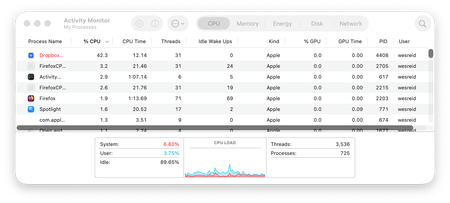
My macOS desktop app crashes each time I try to install or open it.
Application Affected
Dropbox App Device
Mac Studio (Apple M1 Max) Operating System/Browser (if using the web)
macOS Tahoe Version 26.2 Dropbox App Version (if using the app) Tried mul...
- 1 month ago
Welcome to the community wesss
When the Dropbox app crashes immediately on macOS, it is usually caused by leftover files from a previous install or a macOS permission issue. A full clean reinstall and permission check should resolve this. Check out this link:
https://help.dropbox.com/installs/advanced-reinstall


About Apps and Installations
Have a question about a Dropbox app or installation? Reach out to the Dropbox Community and get solutions, help, and advice from members.
The Dropbox Community team is active from Monday to Friday. We try to respond to you as soon as we can, usually within 2 hours.
If you need more help you can view your support options (expected response time for an email or ticket is 24 hours), or contact us on X, Facebook or Instagram.
For more info on available support options for your Dropbox plan, see this article.
If you found the answer to your question in this Community thread, please 'like' the post to say thanks and to let us know it was useful!


