Your workflow is unique 👨💻 - tell us how you use Dropbox here.
Forum Discussion

Keith Given
2 years agoExplorer | Level 3
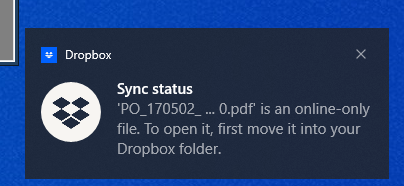
New Windows User and one Dropbox account - Can't access files that are online-only.
Whenever my awesome IT folks can't fix something, they just create a new windows user account for me. Besides losing all my preferences and needing to reinstall programs and other headaches, I believ...

Jay Dropbox Community Moderator
2 years agoDropbox Community ModeratorHi Keith Given, it isn't recommended to have your Dropbox folder located on a central location for all your user accounts on your machine, since this would result in permission issues, syncing performance, and potential file deletion.
You can choose to have the folder somewhere easier (like D:\Dropbox) for the current user, however, using the same location for another computer user entirely isn't recommended.

Keith Given
2 years agoExplorer | Level 3
All the users of the computer are me. My IT keeps creating a new profile for me every time they run into an issue. I was just trying to put it in a place where I could get it with the new user. Then hoping to delete the old user without losing stuff.
- Hannah2 years ago
Sorry to jump in here, Keith Given.
The Dropbox folder you have in your D drive is no longer syncing, right?
If you need to use Dropbox from your D drive, we'd suggest you rename the existing Dropbox folder (the one in D) to something like "Dropbox (old)" or delete it, and then move the syncing Dropbox folder to that location, using these steps.
Before doing anything, though, just make sure that the Dropbox folder that's now in the D drive is not actually syncing, to avoid any deletions of your files.

About Apps and Installations
Have a question about a Dropbox app or installation? Reach out to the Dropbox Community and get solutions, help, and advice from members.
The Dropbox Community team is active from Monday to Friday. We try to respond to you as soon as we can, usually within 2 hours.
If you need more help you can view your support options (expected response time for an email or ticket is 24 hours), or contact us on X, Facebook or Instagram.
For more info on available support options for your Dropbox plan, see this article.
If you found the answer to your question in this Community thread, please 'like' the post to say thanks and to let us know it was useful!


