Our Community is in read-only mode until April 8th, learn more here. You can still search existing threads or get help via Dropbox Support, the Dropbox Help Center, or Learn.
Forum Discussion

Snapm2r
8 years agoExplorer | Level 4
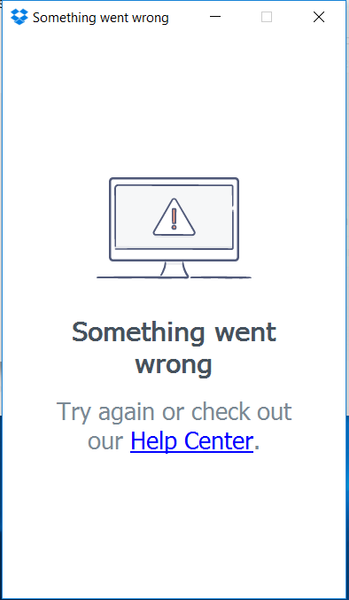
Something Went Wrong - Error after new install
Hi There,
We are running Skype for Business and we are getting an error where the application opens and displays "Something Went wrong". This happens on the latest version, verions 31.x.x.x.x a...
- 8 years ago
Hey Snapm2r,
Thanks for getting in touch on the Dropbox Community about this issue!Seems what you’re experiencing is due to the connection to our server being blocked or interrupted. As a first step, I’d recommend having a look at your settings locally, since it seems like an antivirus, firewall, security program, proxy or VPN is blocking the Dropbox desktop. Can you make sure that these steps are followed for the configuration of your firewall if you’re on a working environment and that the domains listed here are allowed or whitelisted?Should the above steps fail, then please try installing the newest version of the desktop application (32.4.xx) to see if the issues is resolved:Please let me know the results in your reply!Warm regards,JaneA

Snapm2r
8 years agoExplorer | Level 4
@JaneA
Thanks for the feedback, first thing i did was go to our firewall team and they confirmed there were no blocks, just go to show, always test it anyway... bypassed proxy and it worked. Will re-visit them today. Appreciate it.

Jane Dropbox Staff
8 years agoDropbox StaffHey Snapm2r,
Glad to hear this was sorted for you after changing the proxy settings, thanks for getting back in touch! :white_check_mark: :upside_down:
If it's not too much trouble, would you mind taking a minute of your time to fill out a survey sharing your experience using the Dropbox Community? You can access it here: http://bit.ly/2lNKIxT .
[ Please feel free to get back in touch here at any time if you have any other Dropbox questions or updates on the matter. ]
Warm regards,
JaneA
 bajabero5 years agoNew member | Level 2
I had the same error after the installation. The problem was in the date and time. I readjusted my system datetime (in Control panel) and thrn reopened Dropbox and it worked!
I just would like to share the knowledge
Thanks,
About Apps and Installations
Have a question about a Dropbox app or installation? Reach out to the Dropbox Community and get solutions, help, and advice from members.
The Dropbox Community team is active from Monday to Friday. We try to respond to you as soon as we can, usually within 2 hours.
If you need more help you can view your support options (expected response time for an email or ticket is 24 hours), or contact us on X, Facebook or Instagram.
For more info on available support options for your Dropbox plan, see this article.
If you found the answer to your question in this Community thread, please 'like' the post to say thanks and to let us know it was useful!


