We're making some changes to the Dropbox Community 👩💻 - Find out more here.
Forum Discussion

ECB
3 years agoExplorer | Level 3
The desktop app on Window explorer doesn't seem to be aligned with my account online.
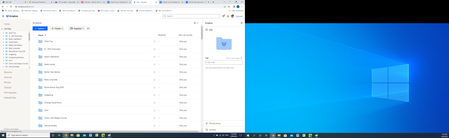
Hi, I can't seem to get File Explorer to sync. It used to sync automatically but now it is not. I've logged onto the Dropbox page and tried to download the app and that doesn't seem to do anything. ...
- 3 years ago
KimmeL wrote:
There actually is no sync status anymore. And it's also not appearing anymore in my taskbar.
If you don't see the Dropbox icon in your system tray then that would mean that Dropbox isn't running, which is why your files aren't syncing. You may just need to launch Dropbox from your Start Menu and give it some time to index your files and sync. If that doesn't work, then an uninstall/reinstall would be suggested.


acfks1
2 years agoNew member | Level 2
I have dropbox on 2 computers (1 at primary home and 1 at a 2nd home). I have been working on my 1st computer (at primary home) and when I get to my 2nd computer, dropbox has not synced with the 1st computer and the online account did not sync either.
- Mark2 years ago
Super User II
Sounds like Dropbox on computer 1 isnt running OR is showing an error.
When you are home check for its icon on the status bar (near clock) and if it is there mouse over it to see what it says. If it is not there relaunch it via the Apps/Start menu

About Apps and Installations
Have a question about a Dropbox app or installation? Reach out to the Dropbox Community and get solutions, help, and advice from members.
The Dropbox Community team is active from Monday to Friday. We try to respond to you as soon as we can, usually within 2 hours.
If you need more help you can view your support options (expected response time for an email or ticket is 24 hours), or contact us on X, Facebook or Instagram.
For more info on available support options for your Dropbox plan, see this article.
If you found the answer to your question in this Community thread, please 'like' the post to say thanks and to let us know it was useful!


