We’re Still Here to Help (Even Over the Holidays!) - find out more here.
Forum Discussion

Bob4244
3 years agoHelpful | Level 5
The Dropbox app won't launch on my PC
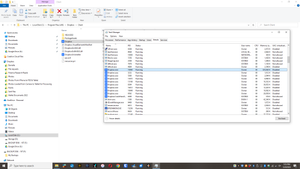
Hello. The Dropbox App on my Windows 10 PC isn't launching any more. I've used this Dropbox setup for years, have made no changes to my PC (Windows 10) or security (that I'm aware of), yet when I cl...
 2 years ago
I had the same problem and didn’t really want to have to re-install.
‘Open Dropbox upon startup’ was enabled but it wouldn’t start unless I opened it manually however I did fix it without having to re-install:
- I turned off ‘Open Dropbox upon startup’ in preferences.
- Shut down the computer.
- Restarted the computer and turned ‘Open Dropbox upon startup’ back on.
- Shut down and restarted the computer and it launched like it should without me having to do it manually.
- Shut down and restarted a couple more times and it has launched every time.

JeanneG1
2 years agoExplorer | Level 4
Hannah, I just got a new laptop today and downloaded the app for desktop through the windows store. I get the icon on my toolbar but nothing happens when I click on it. I am PC based running Windows 11. I have all my drop box files accessible through the web browser version but i was hoping the desktop app would work.

Bob4244
2 years agoHelpful | Level 5
Hello JeanneG1, I started this thread so your recent post popped up in my mailbox. I unfortunately have nothing to add beyond the above. I have been migrating off the Drop Box platform.
About Apps and Installations
Have a question about a Dropbox app or installation? Reach out to the Dropbox Community and get solutions, help, and advice from members.
The Dropbox Community team is active from Monday to Friday. We try to respond to you as soon as we can, usually within 2 hours.
If you need more help you can view your support options (expected response time for an email or ticket is 24 hours), or contact us on X, Facebook or Instagram.
For more info on available support options for your Dropbox plan, see this article.
If you found the answer to your question in this Community thread, please 'like' the post to say thanks and to let us know it was useful!


