Your workflow is unique 👨💻 - tell us how you use Dropbox here.
Forum Discussion

fedeboraxx
2 years agoHelpful | Level 7
URGENT - Dropbox has created a new Dropbox folder.
Hi,
I restarted my mac, and when it booted up, Dropbox started to download a WHOLE NEW COPY of everything in my machine. Now I don't know where my latest versions are, and I'm running out of space....

Megan Dropbox Community Moderator
2 years agoDropbox Community ModeratorHi fedeboraxx, let's jump right into this!
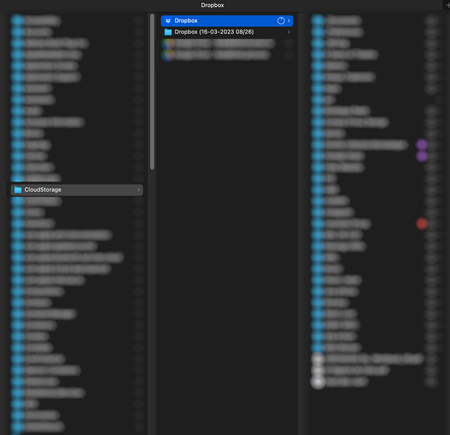
Is it possible that you just joined the Dropbox for macOS update, where the Dropbox folder must be located in ~/Library/CloudStorage?
Was your Dropbox app updated to the new macOS prior to this incident? Also, what is the app's syncing status as we speak?
Also, alan_H, you mentioned that you have a .tmp.driveupload that's causing you trouble. May I ask where this folder is located? Is it inside your Dropbox folder?
Also, how exactly is this folder transferring your Dropbox content, to Google drive?
Keep me posted, and we'll take it from there!

fedeboraxx
2 years agoHelpful | Level 7
Not sure what you mean by:
Is it possible that you just joined the Dropbox for macOS update, where the Dropbox folder must be located in ~/Library/CloudStorage?
I've used DB for over 10 years.
And my dropbox is now syncing. Not sure what it's syncing
- fedeboraxx2 years agoHelpful | Level 7
Dropbox is now constantly making files online-only, even after I've right clicked to make them offline. And in the process of re-downloading them the app is hogging all my mac's resources. Do I need to start looking for an alternative? Every issue I've had has not been resolved, and customer service is being very slow. Please sort this out
- Jay2 years ago
Hi fedeboraxx, could you check the Dropbox desktop application to see the current location of the Dropbox folder?
- fedeboraxx2 years agoHelpful | Level 7
/Users/username/Library/CloudStorage

About Apps and Installations
Have a question about a Dropbox app or installation? Reach out to the Dropbox Community and get solutions, help, and advice from members.
The Dropbox Community team is active from Monday to Friday. We try to respond to you as soon as we can, usually within 2 hours.
If you need more help you can view your support options (expected response time for an email or ticket is 24 hours), or contact us on X, Facebook or Instagram.
For more info on available support options for your Dropbox plan, see this article.
If you found the answer to your question in this Community thread, please 'like' the post to say thanks and to let us know it was useful!


