We're making some changes to the Dropbox Community 👩💻 - Find out more here.
Forum Discussion

joecohs
1 year agoHelpful | Level 5
Why does Dropbox for MacBook keep 'removing' itself?
Hi, Myself and multiple users in my organisation have an issue where the Dropbox installed App on our MacBooks 'removes itself. By this, I mean, Dropbox will still be installed, we can navigate ...
 7 months ago
One of the solutions which helped me was, on the offline installer, when its window pops up for you to double click to install, instead of doing the double click, drag and drop the Dropbox Icon into your Apple applications folder instead.
No idea why, but this worked for some of our users.

Nancy Dropbox Community Moderator
10 months agoDropbox Community ModeratorI see, thanks for the updates marksow! Have you tried any troubleshooting steps so far on your end, like uninstalling the Dropbox app, for example, restarting your computer, and reinstalling Dropbox after that?
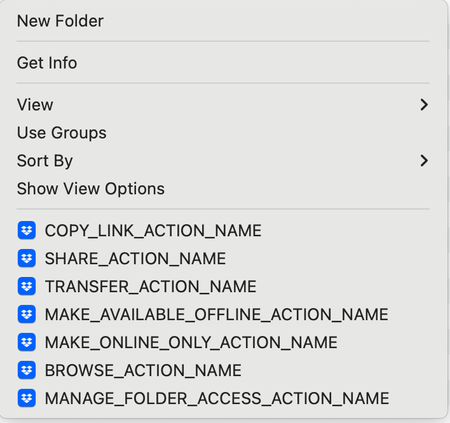
Other than that, I’d like to know how many files are currently saved within your local Dropbox folder to make sure they’re not more than 300k, as this can affect the app’s performance sometimes. To double check this, you can right-click on your Dropbox folder directly, go to “Get info” and check the next window that will appear.

marksow
10 months agoExplorer | Level 4
Yes - I have done a full uninstall, restart and reinstall of the app.
Get info is showing:
Personal Dropbox - 1.2GB - 9,602 items
Work Dropbox - 25.87GB - 260,785 items
- Nancy10 months ago
Cool, thanks marksow.
As for the issue with opening files mentioned in the OP, are you getting any specific errors when opening them while the app is running?
If yes, what do you see exactly, and are you only having an issue with online-only files, or files that are locally synced as well (available offline)?
- marksow10 months agoExplorer | Level 4
When the app is installed everything works fine. When it 'removes' or 'uninstalls' itself then nothing syncs across devices.
- Nancy10 months ago
Can you try an advanced reinstall next, if it’s not something you’ve already tried, marksow?
About Apps and Installations
Have a question about a Dropbox app or installation? Reach out to the Dropbox Community and get solutions, help, and advice from members.
The Dropbox Community team is active from Monday to Friday. We try to respond to you as soon as we can, usually within 2 hours.
If you need more help you can view your support options (expected response time for an email or ticket is 24 hours), or contact us on X, Facebook or Instagram.
For more info on available support options for your Dropbox plan, see this article.
If you found the answer to your question in this Community thread, please 'like' the post to say thanks and to let us know it was useful!


