We're making some changes to the Dropbox Community 👩💻 - Find out more here.
Forum Discussion

sustainingfarmers
4 years agoHelpful | Level 7
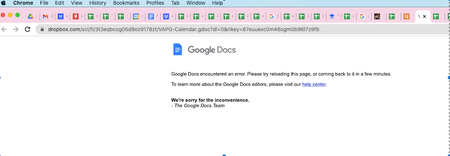
Can't open select Google docs or sheets
Hello,
I've been using Dropbox Business integrated with Google Workspaces for over a year. While the integration between Google and Dropbox can be glitchy, my team appreciates the ability to st...
- 4 years agoHi all - thanks for your reports and patience while we were investigating this.
As our status page reports, this should be resolved now.
Let us know if you're still noticing any errors!

Walter Dropbox Community Moderator
4 years agoDropbox Community ModeratorThanks for your update, Maggie.
Instead of disconnecting the integration, you could try copying the file and then try to preview the copy.
Let me know if this helped sustainingfarmers
Instead of disconnecting the integration, you could try copying the file and then try to preview the copy.
Let me know if this helped sustainingfarmers

CW11
4 years agoHelpful | Level 6
I am having this same issue. I can't open several Google Sheets, but others open with no issue. I've cleared cache, app data and tried on both incognito window and an alternate browser. I also tried turning off all browser extension, no luck.
Please advise, these are important docs!
- Walter4 years agoHi CW11 - sorry to hear you're also having issues with this.
Did you have the chance to try my suggestion, namely copying the file that's giving you the error and try to open the copy?
Also, would it be OK if I reach out via email to have a further look internally?- CW114 years agoHelpful | Level 6
Copying seems to have worked! I don't know how I missed that part of your advice. Thanks
 PatriciaBB4 years agoHelpful | Level 5
I copied the Google Spreadsheet file and downloaded it. The new copy did open. What is the answer to avoid losing documents and spending time trying to access the file? I was locked out for more than 8 hours.
Should we only use excel to avoid being frustrated?
Please advise.
- AGallo4 years agoHelpful | Level 5
I was experiencing this issue today. The "copy" file option seems to have worked for me.
About Integrations
Get help with third-party integrations from the Dropbox Community.
The Dropbox Community team is active from Monday to Friday. We try to respond to you as soon as we can, usually within 2 hours.
If you need more help you can view your support options (expected response time for an email or ticket is 24 hours), or contact us on X, Facebook or Instagram.
For more info on available support options for your Dropbox plan, see this article.
If you found the answer to your question in this Community thread, please 'like' the post to say thanks and to let us know it was useful!


