We're making some changes to the Dropbox Community 👩💻 - Find out more here.
Forum Discussion

sustainingfarmers
4 years agoHelpful | Level 7
Can't open select Google docs or sheets
Hello,
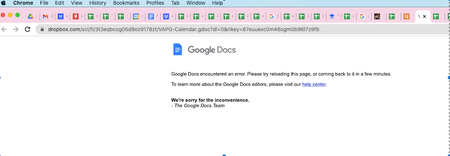
I've been using Dropbox Business integrated with Google Workspaces for over a year. While the integration between Google and Dropbox can be glitchy, my team appreciates the ability to st...
- 4 years agoHi all - thanks for your reports and patience while we were investigating this.
As our status page reports, this should be resolved now.
Let us know if you're still noticing any errors!

Walter Dropbox Community Moderator
4 years agoDropbox Community ModeratorThanks for your update, Maggie.
Instead of disconnecting the integration, you could try copying the file and then try to preview the copy.
Let me know if this helped sustainingfarmers
Instead of disconnecting the integration, you could try copying the file and then try to preview the copy.
Let me know if this helped sustainingfarmers

sustainingfarmers
4 years agoHelpful | Level 7
I tried making a copy of one of the broken files and then opening it in Preview.
No luck. I still receive the same error message.
About Integrations
Get help with third-party integrations from the Dropbox Community.
The Dropbox Community team is active from Monday to Friday. We try to respond to you as soon as we can, usually within 2 hours.
If you need more help you can view your support options (expected response time for an email or ticket is 24 hours), or contact us on X, Facebook or Instagram.
For more info on available support options for your Dropbox plan, see this article.
If you found the answer to your question in this Community thread, please 'like' the post to say thanks and to let us know it was useful!


