Your workflow is unique 👨💻 - tell us how you use Dropbox here.
Forum Discussion

Scott H.
6 years agoCollaborator | Level 9
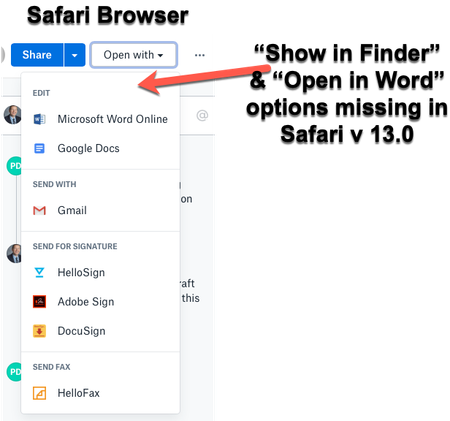
"Open in Finder" and "Open in Word" not showing in Safari OSX for Mac
Hey folks,
When viewing dropbox files from the Safari browser (Safari v 13.0) I can no longer see the "Show in Finder" or 'Open in Word" / "Open in Adobe Acrobat" options for files.
I also have ...

up12345
6 years agoHelpful | Level 5
thanks Scott H. what is not clear to me is whether this is unique to a few people or whether everyone on safari experiences this problem - any idea if its a general problem?

Daphne Dropbox Community Moderator
6 years agoDropbox Community ModeratorHey there up12345, thanks for joining us here!
I'd be more than happy to do some investigation into this with you, if you'd like to of course.
I've reached out to your email linked to you Community profile. Please just check your inbox when you have the chance and we can go from there.
Let me know if you have any other questions - thanks!
About Integrations
Get help with third-party integrations from the Dropbox Community.
The Dropbox Community team is active from Monday to Friday. We try to respond to you as soon as we can, usually within 2 hours.
If you need more help you can view your support options (expected response time for an email or ticket is 24 hours), or contact us on X, Facebook or Instagram.
For more info on available support options for your Dropbox plan, see this article.
If you found the answer to your question in this Community thread, please 'like' the post to say thanks and to let us know it was useful!


