We’re Still Here to Help (Even Over the Holidays!) - find out more here.
Forum Discussion

yebus
2 years agoExplorer | Level 3
Cancel subscription button isn't showing up.
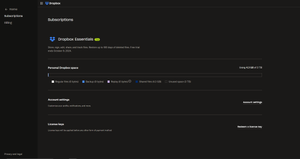
I can't figure out where the cancel plan button is on my manage account tab. I would like to cancel my plan as it states that I will be charged if I do not. Any help would be appreciated.
...

maher1982 Super User
2 years agoSuper UserTry to visit the Support page while you're NOT signed in to a Dropbox account.
Don't worry, you still have plenty of time to cancel the trial plan. You have until October 9th, according to your screenshot

yebus
2 years agoExplorer | Level 3
I have a submitted a request, will keep this thread updated until it has been resolved. Thank you so much for your help 🙂
- maher19822 years ago
Yes, and please mention your ticket number here so the community admins can help you follow up with it.
- yebus2 years agoExplorer | Level 3Oh sure. The ticket number is #24230629
- Megan2 years ago
Dropbox Community Moderator
 ff123449 months agoNew member | Level 1
Hello Megan, I have the same situations, can you help me to solve the problem? I already sent the submission for get help, my ticket number is Ticket #24885785: Submission from Get Help

About Plans and Subscriptions
Ask the Dropbox Community for help if you have questions about your Dropbox plan or subscription. Find solutions and share advice with members.
The Dropbox Community team is active from Monday to Friday. We try to respond to you as soon as we can, usually within 2 hours.
If you need more help you can view your support options (expected response time for an email or ticket is 24 hours), or contact us on X, Facebook or Instagram.
For more info on available support options for your Dropbox plan, see this article.
If you found the answer to your question in this Community thread, please 'like' the post to say thanks and to let us know it was useful!


