Need to see if your shared folder is taking up space on your dropbox 👨💻? Find out how to check here.
Forum Discussion

CyberAmazon54
7 years agoHelpful | Level 5
Cannot Save Changes Made to Xcel File Saved in DropBox Using iPad Pro 12.3.1 iOS
I keep my financial budget in an Xcel spreadsheet that I update with changes each month. Recently I have begun experiencing issues trying to save updates to my file. All my files are “stored” in Drop...
- 7 years ago
Work around... saved to My Files (on iPad). Can edit/save with no problem. Save file to DropBox for posterity (just can’t edit file opened from DropBox)!


Bricroq
7 years agoExplorer | Level 3
Hi Walter
I have two images of the error messages but confess I don’t see how to send them to you. Can you advise please. They are stored in my Dropbox account as it happens.
Brian
I have two images of the error messages but confess I don’t see how to send them to you. Can you advise please. They are stored in my Dropbox account as it happens.
Brian

Walter Dropbox Community Moderator
7 years agoDropbox Community ModeratorThanks for the response, Brian; how are you today?
At this point, could you let me know the exact OS version of your iPad and the versions of the mobile apps you're using (both ours and Excel's)?
In addition, here's how to attach screenshots here:
If that doesn't work (if you're using a mobile device), maybe you'll need to request the desktop mode through your browser and try again.
If everything else fails, you can send me a shared link to the screenshots in question so I can have a further look.
Thanks in any case!
- Bricroq17 years agoExplorer | Level 3
Hi Walter,
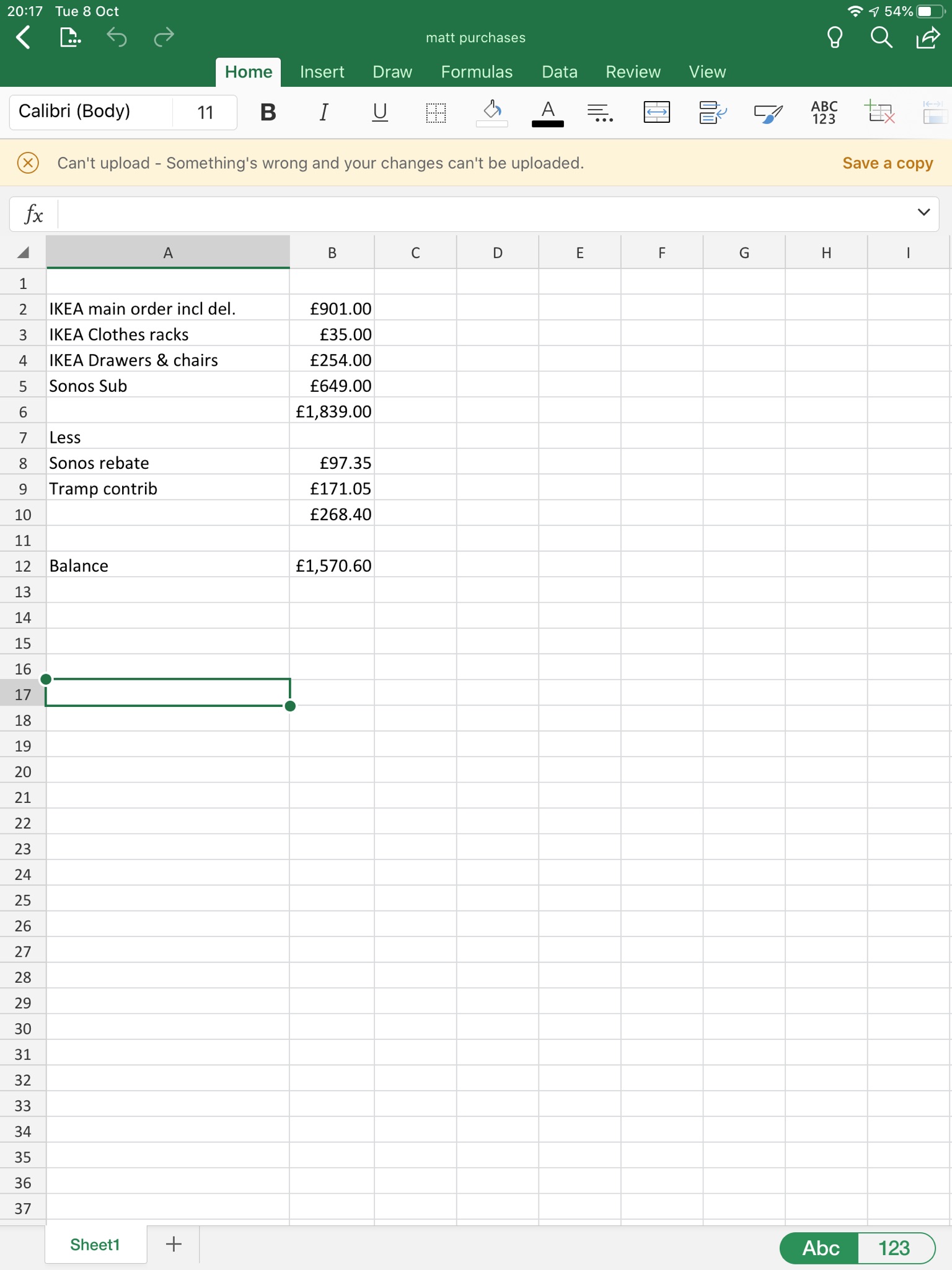
Here are the two different messages I get:-
My iPad OS is now iPadOS 13.1.2 but was 12.4.2 at the time of these screenshots.
Excel App is 2.9.1
Dropbox App is Version 162.2
I've had to create a new Dropbox community name on my iMac desktop as I could only ever get to a screen wanting me to put in a new Username to access the community forums.
Brian.
- Walter7 years ago
Thanks for the additional information, Brian!
Can you please let me know if you're experiencing the same issue now that you updated your iPad's OS?
Also, does this occur for all of your Excel files, some or only one?
By the way, have you by any chance asked Microsoft about this directly as the error you get is coming from their app?
Let me know how this goes!
- Bricroq7 years agoExplorer | Level 3
Hi Walter,
So far (1 day) no probs on this OS.
It could happen on any file I was using loaded from Dropbox - which, to be fair, is the majority but definitely not just one file.
I haven't asked MS, mainly because I hadn't experienced a problem with non-Dropbox files and also because I found the similar issue in the forum.
Thanks,
Brian
 CEBS6 years agoNew member | Level 2
I have the same issue. I have to save a copy, go to pc, make change again and then delete the copy.
everything is up to date

About Create, upload, and share
Find help to solve issues with creating, uploading, and sharing files and folders in Dropbox. Get support and advice from the Dropbox Community.
The Dropbox Community team is active from Monday to Friday. We try to respond to you as soon as we can, usually within 2 hours.
If you need more help you can view your support options (expected response time for an email or ticket is 24 hours), or contact us on X, Facebook or Instagram.
For more info on available support options for your Dropbox plan, see this article.
If you found the answer to your question in this Community thread, please 'like' the post to say thanks and to let us know it was useful!


