2025 sparked some incredible conversations across our community 👩💻. Discover the highlights and see what’s ahead in 2026.
Account Access
1175 Topics
I'm not receiving the security code while setting up my Dropbox iOS app.
I have Basic Dropbox on my Mac and used it for multiple years. I'm trying to set up IOS Dropbox on my iPhone 16, but not receiving security code. I've looked in my email main and spam folders and no email or message on the Mac. Please help.40Views0likes5Comments
I'm unable to sign in to Dropbox on Android via multiple third-party apps.
Application Affected Apps that use Dropbox like Solid Explorer, Wardencam Device Multiple different Android versions/devices Operating System/Browser (if using the web) Multiple different Android versions Logging into Dropbox through another program (e.g., Solid Explorer, Warden cam, etc.) does not work. Dropbox itself is working, but problems is not that. For example, in the case of Solid Explorer, permission is requested but login fails. Wardencam just gets stuck on login (when selecting Dropbox as the destination). It must be a problem with Dropbox? This is what I've seen in Finland/Europe. I've also tried different, completely independent internet connections/operators. The logged-in app may work*, but if you shut down the aforementioned app, you will no longer be able to log in. * Edit. It seems that there is no access to the Dropbox, so this not really help.Solved90Views1like8Comments
Desktop app can't connect to account via the browser connection
I open the desktop app, press the button that sends me to the web browser to connect with my account, it appears that i m logged but it always fails to connect. It appears (in spanish) "The previous session was interrupted. Try again". I reinstalled the app, changed web browser, turned my firewall off but nothing changes42Views0likes2Comments
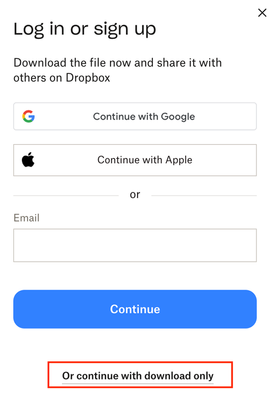
Remove login or sign-up popup when sharing a link.
how do I get rid of this frustrating pop up when sharing a link with a client? We're a paid dropbox business member and I get a tonne of clients telling me they cant access the files because of this popup. Needs to able to be switch this off. I pay to have ability to share files externally so either make it free and keep the pop up, or let me turn it off. Thanks, so this thread, but not locked - https://www.dropboxforum.com/discussions/101001014/remove-loginsignup-dialog-box-from-shared-link-download/757059#M82871441Views8likes9CommentsI can't sign in on Safari, but I can sign in on Firefox
Ive always signed into my account on safari but for some reason it will no longer let me sign in . I can sign in on firefox . Ive downloaded the app to see if that helps but its asking me to sign in on safari to set up the app so i cant do that either . any help much appreciated101Views0likes14CommentsI can't login to Dropbox at all on my paid account
Device: Lenovo T16 Operating System/Browser: Windows - All browsers: Chrome, Edge and Firefox Dropbox Plan: Plus Question or Issue When I enter my .edu email and password (which are correct) the screen just simply doesn't move. Initially I was getting an email to enter a 6 digit verification code but there was nowhere on the screen to enter it regardless of the browser or incognito window and I have no extensions etc. that may be blocking a screen. Eventually it stopped the 6 digit code and not asks for these long laborious captchas, which I have gone through about 7/8 times on three different browsers. I finish the captcha and it says "Congratulations you verified you are human" then depending on the browser the screen either just remains on the login screen or sends a yellow sticker saying the captcha wasn't verified correctly (which it was). Completely at a loss how to login to the web version because I have to recover something from the trash. This free account that I am using to post the issue (since I can't login on my paid one) is logging in just fine, as are a couple of my other free accounts with gmail domains. My paid account is an .edu domain.89Views0likes8Comments
How to remove third party app permissions?
A third party iOS print app requested access to my Dropbox contents for the purpose of printing individual files to a printer without AirPrint support. It failed miserably. How, in Dropbox, may I manage which third party apps have access to my account contents so I may revoke it? Thank you.Solved2.7KViews0likes4Comments
Accidentally reset Dropbox Passwords so I need help to restore it
Hi, I have downloaded Dropbox passwords manager app on my phone to store all my passwords. I accidently reset it and all my passwords saved are gone. I have the 12 seed recovery words which i tried to use but this did not help. The screen where I enter the recovery words accepts it does not continue. it recognises the recovery words but stays on that screen. Any help here, I have 100s of password stored and it would be a disaster if I cannot restore or recover it. What can I do? I have a Dropbox plus account. Best regards, Omar Solved3.3KViews1like5Comments