Our Community is in read-only mode until April 8th, learn more here. You can still search existing threads or get help via Dropbox Support, the Dropbox Help Center, or Learn.
Download
676 Topics
How much are download and upload max file size limitations?
1) how much are download and upload max filesize limitations? (through desktop app) thank u .. i am thinking of going from free account to paid 2TB account (PLUS version) i want to upload or download if nececery a file of 300GB (encrypted). and 2) if i pay by month at first if i will be able to get money back if i dont like it.50Views0likes1Comment
I downloaded the desktop app on my Windows, but can't install it.
Device (MSI) Operating System/Browser (if using the web) (Windows 11) Desktop app stopped working. Tried downloading several months ago and it seemed to have worked but the desktop app disappeared again. Tried to download the standard version as well as the offline version, didn't work. Tried tuning off security, antivirus, firewall, etc., still didn't work. The installing sign will appear but then nohting happens. Sometimes it asks me to log in, but when click on log in, it opens up the same page again and again. It's very frustratining not being able to use Dropbox on my laptop unless I log in using the web version. Please advise. thank you.42Views0likes1CommentI get a 404 error message when using the downloader application.
This afternoon, I am suddenly getting Error (404) on every one of my files using the downloader application. This is only when accessing my files. Other links to external sites are not an issue. App cache cleared, device restarted. No change. This is the same issue I had approximately six months ago, which was mysteriously cleared up either by itself or the staff. I remain unclear on that. Thank you294Views0likes18Comments
I can't download my Dropbox files no matter what I try
I have the exact same issue as Jane , except these are files that are shared with me as the editor. These files work when downloading them on my phone but on my PC it is impossible. I keep getting the same error and I have a multitude of song collaborations, media, and business files from work that I cant simply download. I have tried everything from turning off all my firewalls on the browser and computer, clearing catche, trying new browsers(including incognito), creating a new account, and the only thing I have not tried is downloading the desktop app, but even the app will not download and the entire page will crash instead. Can someone PLEASE help, I have dealt with downloading issues for a while but never to this extent. These are also my own files that have been shared with me and i have editing permissions. I also paid for my media files so it is extremely frustrating. It is the same error message "Error we can not download your file."75Views0likes2Comments
I get an error 'File may be damaged or use a file format that Preview doesn’t recognise'
When I click on some of my high res photo files saved on drop box (our wedding photos!!), a sign pops ups saying 'couldn't load. something went wrong our end'. When I try and download the photo, it says 'could not open'. 'File may be damaged or use a file format that Preview doesn’t recognise'. Can anyone help with this? This impacts hundreds of wedding pictures and it would be such a shame to loose these!88Views0likes4Comments
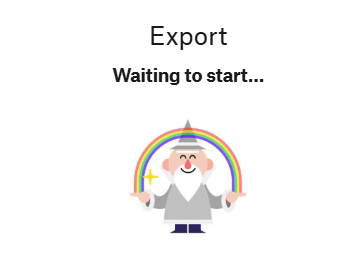
Unable to export a Paper document. Stuck at "Waiting to start".
Device (Laptop) Operating System/Browser (if using the web) (Windows 11) Dropbox App Version/Browser Version (244.3.6552)/(chrome, edge, normal browser/incognito browser) Question or Issue I am in a hurry, need a dropbox paper format document export, and this happen Zzz never happen before, first time saw this message, retry export pdf/docx, same thing had referred to (Export screen keeps getting stuck | The Dropbox Community), same with his situation i think i just wait, nothing else i can do, closed the ticket. thanks, just to informed developer team this incident happens50Views0likes1CommentNo audio when downloading a .mov file. Is there a way to fix this?
MacBook Air macOS 12.6.3 Chrome 144 Trying to download an MP4 file that has been downscaled from a MOV file, and there is no audio channel in the MP4. Why has the audio been removed and is there any way I can download this MP4 file with sound intact?67Views0likes1CommentI exceed my Dropbox Basic account's quota and can't restore or download my files now.
Dropbox Plan Basic Device IphoneXR Operating System/Browser (if using the web) IOS 18.7.4 Dropbox App Version (if using the app) Web online (Safari & Opera GX v3.1.1) Question or Issue Dropbox emailed me asking to upgrade. I can’t. I need to recover my data & export to another cloud service. I don’t succeed neither to export or win load the files directly. I can’t make any backup neither except by upgrading. please help I want to solve the issue by recovering all my data on my hardwares at least or export a single somehow. Instruction & help are more than welcome. Thank you!256Views0likes13CommentsCan't view specific documents that are downloaded in the activity log
Good Morning, I use Dropbox Business and have recently been sharing information in "Can View" mode with some clients. We have been trying to track their activity and can see when they access the system but it wont allow us to see what specific documents or files they are downloading? The activity log for one of the clients shows us the specific files they have downloaded but the other 4 it wont show, just shows us they have viewed the file (yet they have informed us they have run downloads). Would anyone have any idea as to why this is occurring for some invited parties and not others? (Please note all are in "can view" Mode). Below is us being able to see the specific file for this user, but for the others, we cant see that activity. Thankyou106Views0likes5Comments
How can I download a large folder to my external usb stick?
Device Macbook Air M2, 2022 Operating System/Browser (if using the web) (macOS Tahoe Version 26.3) Dropbox App Version (243.3.6860) Question or Issue If anyone can hop on a video call and help me download large 'camera uploads' folder (96GB), 26K mostly images/some videos to external usb stick I'll happily transfer $20! First formatted external hard drive to exFAT but tediously slow having to download files as zip in download folder only and then copy to external hard drive. Tried to set up as APFS with no luck. Getting all sorts of error messages every different workaround I try. If anyone could walk me through it via video call I would really appreciate it. Other folders are no issue to copy/transfer.Solved233Views0likes10Comments