Our Community is in read-only mode until April 8th, learn more here. You can still search existing threads or get help via Dropbox Support, the Dropbox Help Center, or Learn.
Notifications
36 Topics
Are people notified when they are removed from sharing a folder?
I have a folder that I shared over the years that I would like to UNshare, but don't want the other person to know, or, at the very least, be sent an email informing them they are no longer authorized to access the shared Dropbox folder. Case in point, I have a folder I created for a client where the two partners both had access but now one has been bought out in the aftermath of a big hairy battle. I really need to remove the former partner. My question is, Will persons I "unshare" with be notified by email or pop-up notification that they are no longer linked to a folder, or does Dropbox simply make that space available to their quota and nothing is ever said?Solved72KViews3likes5CommentsNot getting notifications when a new file is added
Hello, I am not receiving push notifications in my desktop when a new file is added to any of my folders or subfolders, and I definitely need this. I don’t know if it is related, but I have Boxifier working together with Dropbox.Solved8.1KViews0likes8Comments
Can I get notifications of changes made to my files?
Hi, we have a folder on dropbox with a couple people at work. I shared the whole folder but there is only 1 item in it so far. If I change file or add a comment it should give a notification to everyone right? But if the look at notifications in the dropbox windows icon it doesn't show any notifications, just that I was the one who changed the file as last person. But no pop-up. If someone else adds a comment, than I do get a notification. Is it because I am the owner that I am the only one who gets it? And how can I make sure everyone gets te notification/pop-up that I (or someone else) added something?Solved8KViews0likes10Comments
Avoid notifications to other people
Hello, Is there a way to stop notifications to other people in shared folders? Our workteam shares some data in a folder, and it is annoying to the other members when someone, for example me, insterts new data and click the button "save" many times. So, I´d like to know how I can do changes in a shared folder, and avoid notificating the other members every time I save changes, because it happens a lot of times in a short periodSolved6.8KViews0likes3CommentsNot Receiving Confirmation Email after uploading file to a file request
For some dropbox file requests, I do not receive the confirmation email that says "Your files were uploaded to ______" For instance, today I had to upload my file to the file request link and I inputted my name and email hoping to receive a confirmation email. I got the "finished uploading" message after but no confirmation email. I've checked spam as well and nothing. I upload files everyday to my agents and usually I get the confirmation email. This file was a link from casting and I want to make sure I submitted successfully before the due date.Solved5.5KViews0likes15CommentsFollow folder option grayed out - shared folders, business account
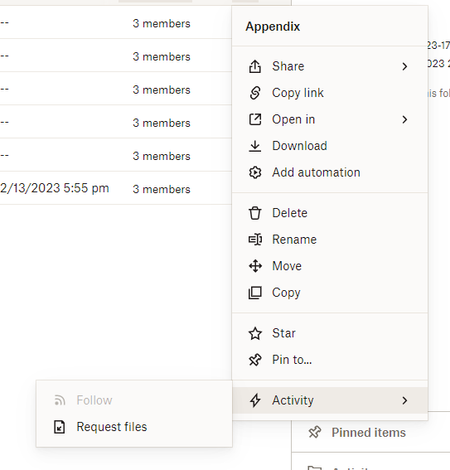
Hello. A similar thread started in 2021 was a dead end and has degenerated into other discussions so I thought I'd start over with this topic. My boss asked me to figure out why the "Follow" option was grayed out on his shared folders (viewed from the ... menu in the online view), while in my account, I was able to choose Follow and set up email notifications with no problem. I thought that was weird because even though he's not the account admin, the boss should have, if anything, more capabilities than the office peon. A comment in the previous discussion indicated he may not have all his preferences set correctly. In the desktop app, I located the preferences, & took a screenshot of what mine looked like (all of the notifications checked). Before emailing the pic to him, though, I unchecked all the preferences to test that I was sending him the right solution. I hit apply, then OK. Voila, no more Follow option in the online version. Excellent... I have found the source of the issue, right!?! But not so fast. I put the preferences back the way they were... apply... ok... NO FOLLOW OPTION. It remained greyed out. Restarted without success. I do not want to try uninstalling and reinstalling as I own lots of important folders and am scared of what might happen. And I should not have to do that, it's just a preference! Right? Any ideas out there for getting my Follow back? I'm using Chrome, if it matters.Solved4.9KViews0likes21Comments
No confirmation email of sent file
Hi there, I often upload files to file requests via a Dropbox link and usually get an email from Dropbox that says “Here’s what you uploaded to *file request*” after. The last two times I have uploaded, I have not gotten an email confirmation as usual. Are my files still being sent?4.8KViews1like26Comments