Our Community is in read-only mode until April 8th, learn more here. You can still search existing threads or get help via Dropbox Support, the Dropbox Help Center, or Learn.
Notifications
36 Topics
Can link-only users be notified of changes to files?
Suppose I create a Dropbox folder containing several files related to a family project. Is there a way that I can share the link to the folder with 8-10 family members and allow them the option of being notified if anything in the folder is edited, added, or deleted?52Views0likes2Comments
My shared link throws a "Couldn’t complete share" error.
I checked the help center and could not find answers. The only information provided was "Couldn’t complete share". The help center just says to look for the reason in the notification, but the notification literally says to look at the help center. I've been using the same shared link for 15 years for employers to see my certifications and it has NEVER given me this error message. Can someone please assist?? I have to be able to share my certificates with employers via this method.94Views0likes3Comments
I can't share any links - Dropbox says my files contain phishing content.
Dear Dropbox Support Team, I’ve received a notification stating: “We have suspended your activity. Your files may contain phishing elements.” I’m unsure why I received this message, and it’s severely impacting my Dropbox experience. It's not specific to any one file. I cannot get the link to share ANY of my files. I always get the same error message when I try to share via the web portal. When I use my PC based Dropbox, I don't get any messages, but I cannot copy and paste any links. I've already spoken with the chatbot and emailed support (over a week ago - ticket id: #26002781) and have not received a reply. Please provide further details so I can resolve this issue promptly. Thank you for your support. Best regards, Tal Device (Razor Blade 15) Operating System/Browser (if using the web) (Windows 11/Chrome) Dropbox App Version (if using the app) (242.4.5815) Syncing Status ("Up to date")95Views0likes2Comments
Not getting notifications when files are added to folder
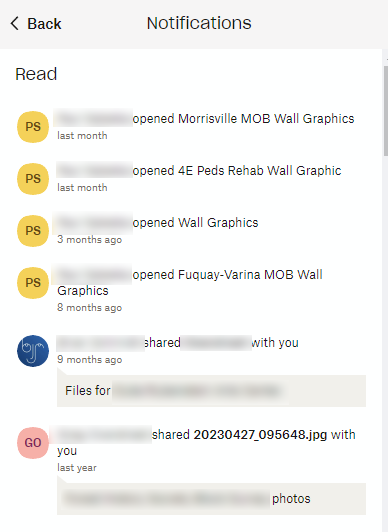
As the title says, I'm not getting notifications when a file has been added to a shared folder that I created. I can see that something was added if I view "Sharing activity," but I'm not getting notified. In fact, when I click the bell icon to view my notifications, the last notification I have is from last month... so, if there is sharing activity from 10/17, how come there is no matching notification about a file being uploaded? I noticed this happening today, when I received an email last night about "Last week's updates in your shared folders." I'm like LAST WEEK????? How come I'm just now seeing this??? (Granted, it was just Thursday when they were added, so it hasn't been a full week, but still...) File added 10/17 (today is 10/22) and I'm just now finding out that some files were added. Windows 10 Using the Dropbox app Attaching screen shots (if this works)Solved1.4KViews0likes9CommentsHow to disable annoying "Upload Complete" pop-up
I have multiple Dropbox accounts for several different clients, and as such, I must use the Dropbox website for uploading and downloading files I share for one of my clients. When I want to add my files to a Dropbox folder via the website, I always get a pop-up box with a confirmation that my upload has completed. This pop-up box is very annoying. It takes up a lot of space in the lower left corner of my screen, and the only way to get rid of it is to close it by clicking the "X." I upload files all day long and this confirmation pops up every single time. This requires a lot of extra clicking so that I can uncover and see pertinent information on my screen. Question - is there any way to disable this notification, or at the very least change it so that it pops up but disappears on its own after a second or two?1.2KViews3likes4Comments
Notification when I share a file
Hi ! When I'm sharing a document to someone with the "Share" button, the receiver would like to get an email notification such as "a document has been shared to you, get access with this link". But so far, there are no notification sent. It could be either to people who has and hasn't a Dropbox account. Can we have a notification sent to people when we ask to share it? Thank you for your helpSolved1.5KViews0likes7CommentsWhy am I getting the 'user wants to join your Dropbox team' emails?
Hi! We started getting these [Removed as per Community Guidelines] emails whenever someone tried accessing our shared files through shared links. Please explain why it happens and how to stop getting these messages. Thanks!Solved1.6KViews1like14CommentsCan we disable notifications for when a folder is shared?
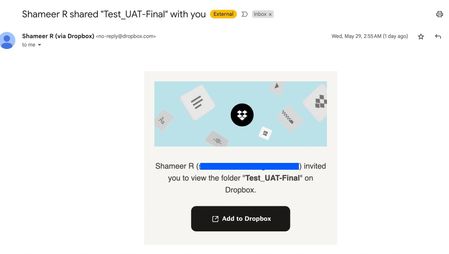
Hi Team, Our end users are currently receiving an email notification when we share a dropbox folder with them. Attaching a sample email here. Is there a way to disable this notification.We have custom emails triggered for this usecase and would like to refrain from sending this default emailSolved1.6KViews0likes4Comments