Our Community is in read-only mode until April 8th, learn more here. You can still search existing threads or get help via Dropbox Support, the Dropbox Help Center, or Learn.
Shared Folders
376 Topics
Message everyone with access to shared folder with one click.
I am a Dropbox Business user with a company of ONE. I work freelance with a boat load of other people who are also freelance. I am a part of several projects a year and need to share folders with a new group of 30-100 people every few weeks - all of which are outside my organization since, as I mentioned, we're all freelancing individuals. As the shared folder owner, I often need to message everyone who has access to that folder. It is extremely tedious to look up and type in the email of each individual person. I would greatly benefit from a 'message everyone with access' to a shared folder feature.3.2KViews12likes9Comments
Dropbox full because of shared folder, how can I avoid them taking space?
Hi, i have a dropbox account and the free space that i have is full because of the files inside the shared folder that i have with some friends. Is there a way to avoid that the shared folder that uses the free space of my account without cancelling those folder? Because i have no more space and i haven't uploaded any files Excuse me for my english but i found problem on trying to traduce this message from my languageSolved111KViews8likes132Comments
Why do shared folders take up my own account's space?
I'm working for someone who has a dropbox pro acocunt unlimited account. However, it won't let me upload to his dropbox because I have a free account and limited storage. I work for lots of people I can't join every storage solution out there. He has paid for pro, I should be able to upload to it and it should not count as part of my digital storage. I'm uploading images for him to use, into his dropbox acocunt, my account should not have any bearing should it? If it does its a very very stupid bit of product planning. Or have I misunderstood the messages I'm getting? Cheers JohnSolved7.6KViews5likes3Comments
How do I disable Sign Up pop-up when sharing links?
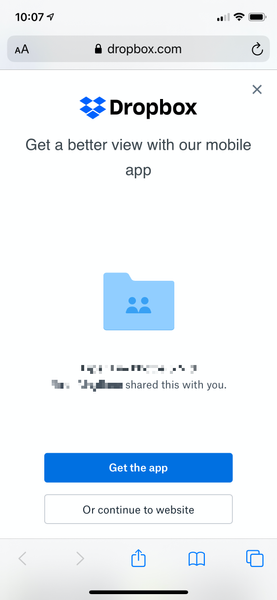
I cannot believe that as a paid Dropbox customer, people I share links with get a giant full screen popup pushing them to sign up for Dropbox that they have to close out before they can view the link contents. This is so confusing for those who click on my shared links, not to mention tacky AF. Where can I disable this? This is kind of pushing me over the edge to finally cancel my Dropbox account. It's THAT infuriating. This is what people see on mobile when I share a link to a folder with them:3.2KViews5likes4Comments
Shared folders, why do I have to pay for someone elses files?
Someone sent me files on dropbox, to access I had to sign up for an account, fine. But now dropbox says my account is full and I need to pay to upgrade. I have never uplaoded a file to dropbox, so my account is not full. I can only assume dopbox wants me to pay for the files on somone elses account. If this is the case this is an absolute con, they are already being paid for the storage by the other user, why should I have to pay to access them?Solved5.8KViews5likes1Comment
Why do shared files count against my space usage?
Why are files shared with me counted against my space usage? Is this data counted twice? If someone who is sharing files with me is paying for this space, why should I have to pay as well just to access it? I am out of space, I have no intention of buying more space, and yet, when someone shares some files with me, I cannot access them and I am forced to buy space in order to access them. Why is this? Thank you.Solved31KViews4likes144CommentsHow do I leave a shared Dropbox folder?
My friend invited me to share a 3gb folder she had. I accepted. Now I want to leave the folder and cant. I followed the advice from: https://www.youtube.com/watch?v=pZoTpNkvPCI The problem is that no folders appear under 'Sharing' in my Dropbox so I cant remove myself. I also looked for other ways to leave the folder but see no option to remove myself. Any ideas on how? ThanksSolved66KViews4likes76CommentsShared folders should take up space only from the owner's account, not from the members'.
Pretend I'm a user with a paid Dropbox account. I share a folder to 10 people and ask them to upload files to this folder for me so I can work on a project. None of the 10 people has a paid Dropbox account. I created the folder. I own the folder. I want the files they give me. It makes sense that the files they provide me count against my storage limit. It does not make sense that all 10 people now have all 10 users' files collectively measured and each of those 10 people now has all 9 other people's uploads count against each of their storage limits. That's what Dropbox is currently doing to me. And since Free accounts aren't allowed to contact Dropbox (support is for paid accounts only) you have set up a system that harasses potential customers and leaves them with no option but to either throw money at you or stop using Dropbox, tell their clients not to ask them to use Dropbox, and block the series of "no reply" e-mails coming in from Dropbox telling them that other people have pushed them over their storage limit. Without that, every client I upload to whose shared folder is larger than my storage limit will trigger Dropbox punishing me for the client's storage, which is what's happening now.Solved2.4KViews3likes9Comments