Our Community is in read-only mode until April 8th, learn more here. You can still search existing threads or get help via Dropbox Support, the Dropbox Help Center, or Learn.
Web
234 Topics
Upload hangs at 283 of 284 items on Windows 10
This information is not required, but it makes it easier for our Community members and support team to help you. Device Dell laptop Operating System/Browser (if using the web) Windows 10 Syncing Status "Uploading 283 of 284 items" I'm fairly new to Dropbox. I'm trying to use it to back up my Thunderbird Email database, which is almost 15GB. I upgraded to a Personal account. I quickly found that trying to upload the whole DB fails, so I've been uploading folders at a time. I selected multiple folders and files to try to simplify the process, to a total of 296 files in 49 folders, totaling 418MB. Some of these were empty, so they didn't upload. A couple of folders were fairly large (15MB, 18MB), but it seemed to be working. But for the last 15 minutes it's been hung up saying "Uploading 283 of 284 items, 11 seconds left." Should I just cancel it out, and hope the 284th file is isn't significant?124Views0likes7CommentsI can't open a folder shared with me; it appears grayed out on the Dropbox website.
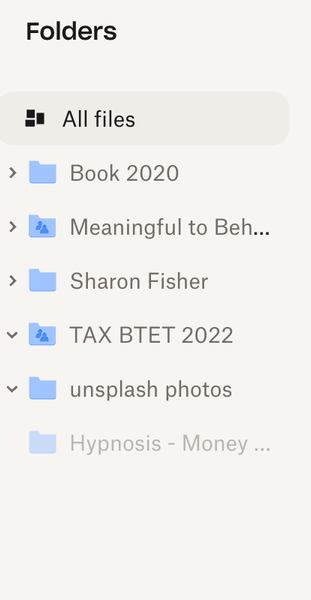
Device mac Book Air Operating System/Browser (if using the web) Chrome Syncing Status I have no idea how to check this Question or Issue I'd like to access the Hypnosis -Money folder--it is a MP3 shared with me but I can't --as you can see it is shaded out. Not clickable. Thanks!90Views0likes3Comments
Don't Always Entice Logging In/Signing Up
I realize you are in this business to get users. However, there's a time and a place -- and at the TOP of MY pages, is NOT the place. I am paying to put files here for people to access and my users do not need to be members or, if they are members, they do not need to sign in. Having them be logged in is a complication. SO GIVE PAYING USERS THE OPTION TO NOT SHOW ALL YOUR LOGIN STUFF AT THE TOP. AT LEAST ENABLE US THE CHOICE TO SHOW YOUR LOGIN STUFF AT THE BOTTOM OF PAGES INSTEAD. This isn't a vanity thing. You seriously confuse people. The people I need to use this with are afraid of doing the wrong thing -- because you do not give them a clean interface.Solved50Views1like1Comment
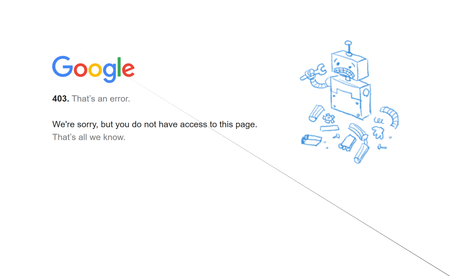
I'm seeing a 403 error when trying to upload files from Google Drive to Dropbox.
Device HP pavillion Operating System/Browser (if using the web) (Windows 11) Syncing Status ("Up to date") Question or Issue Using the Upload tab and "import from google drive" after selecting my google account I receive the following message/ screen. Please help100Views0likes2Comments
Recipients confused by the login prompt when downloading files from Transfer or shared link
When sharing files via Dropbox Transfer or a "view-only" link, the "Continue with download only" button is hidden at the bottom. This often confuses recipients because they think they must log in to download. I wish recipients weren't prompted to log in at all when they just want to download the files. Thank you for considering this improvement!Solved232Views1like3Comments
Open Dropbox links directly in explorer (windows) or in finder (mac)
This is the most important request ever! And it should be already implemented. Is to open dropbox links directly in explorer (windows) or in finder (mac), independent where the link is, whatsapp, slack, messenger, skype, any of then. Is a link, when i click today,. it always open the browser (Edge on Win and Safari on Mac), but should have an option, or in my point of view, the defult should be open in explorer/win and finder/mac. That is the way it should be. You can ask any computer user, and i know a lot ask for this and post helps about it. So, why still isn't like that? And most important, can you please do it fast? All community will give you a lot of love and more subscriptions back. Thank you!4.6KViews7likes2Comments
File upload is stuck in endless "Finalizing" loop
I'm the owner of this account, have created a folder for it ("free" Basic), and used the proper Dropbox channel to UL a file to it. Plenty of space available fpr the file. The person the folder is being shared with received their "folder share" notification. The endless loop is a new glitch, and nothing else about my machine has changed. Mac M1 Air, OS 11.2.8, either Firefox 109.0.1 or Safari 14.1.26.9KViews2likes22Comments