Our Community is in read-only mode until April 8th, learn more here. You can still search existing threads or get help via Dropbox Support, the Dropbox Help Center, or Learn.
Web
104 Topics
Why does the Dropbox website keep logging me out?
I've had a Dropbox account for many years, and suddenly in the past few months it logs me out daily and tries to sign me into another unused gmail account. I don't close the tab or the browser, it just goes to sleep. Do I need to cancel the gmail account? What can I do so I don't need to keep signing in? Every time I do, my settings change. And speaking of, is there any way to change the default settings of specific features? Like I dislike quick view and would like the default to be full-screen instead of having to check the box again every time I log-in (again, daily at the moment...) Thank you for your help!186Views0likes12CommentsIssue with communication between Dropbox web and Dropbox desktop application
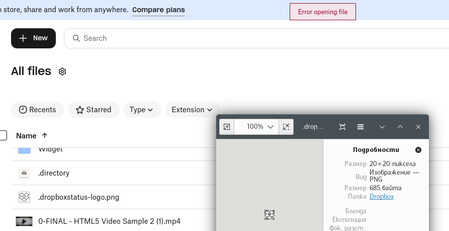
Hello, I want to report issue (I believe it is bug) related to trouble with communication between your web site (https://www.dropbox.com/home) and the official Dropbox application (v240.4.8493) that normally happens on loopback port 17600: This used to work well, but for whatever reason it shows errors on try to open some file using ellipses > Open in > Desktop. Pretty often the web site cannot even detect that there is working desktop application. At the same time Dropbox desktop application seems well working - no delay in sync, etc. I made a little research what might be the reason and found out that despite desktop application does most of its work well there is significant delay (softly said) in responses to requests that website sends: Such responses have to be in borders of milliseconds (1 second is a huge delay). Above delay leads to processing timeout and error seen on first screenshot. One more additional detail: it seems that even when particular file is opened successfully at the end, Dropbox application delays it response related to the file till file gets closed. Is this normal?! It's rather BUG! Please, forward above to team responsible for Dropbox application development.193Views0likes7CommentsI can't change the Dropbox web column headers
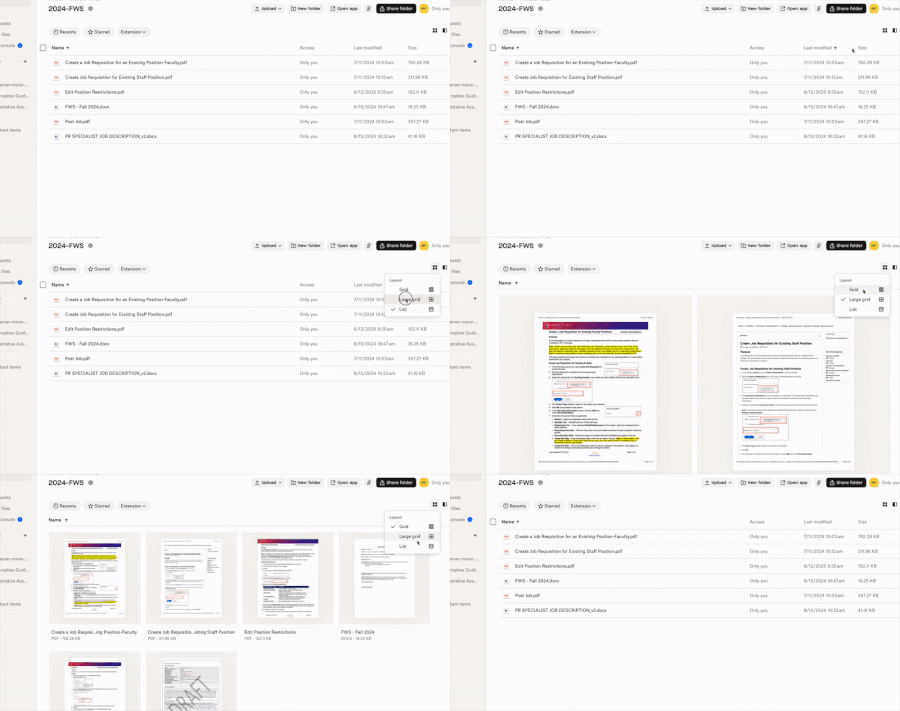
I was able to add Size header to my columns on Dropbox website last year sometime. But now when I go there to switch my List view column headers, I no longer get the inverted caret. However, I get it with Grid view and Large Grid view. Where did it go? It's the same in Safari as in Chrome. Application Affected Dropbox website Device MacBook Pro Operating System/Browser (if using the web) macOS Sequoia 15.7.4 Dropbox App Version (if using the app) NA110Views1like5Comments
I can't switch accounts on my Mac Mini
I have a M4 Mac Mini that is using the wrong DropBox account but I can't figure out how to switch it to the correct one. My PC is using the correct one and it is up to date with all files but my Mac Mini will not allow me to change my account. I have followed the directions to sign out of the wrong account but when I am automatically taken to the DropBox website it doesn't allow me to change my account to the correct one. It automatically assumes I want to sign into the incorrect one. What do I do?98Views0likes3Comments
File names are cut off on the Dropbox site
How is it possible for an app this old to still not allow a user to alter the field length? 20 odd characters is grossly insufficient for anyone with real organisation habits. Why can I not simply see longer file names? Why? What is the justification for this? Take myself, a 3d modeller. I constantly have files that are categorised by project/object/component (often with more additions like side or versions). It's maddening. We're nor working in 1024 resolutions anymore, we've all got second or third monitors. Screen real estate has never been higher. So why are we stuck with this archaic restriction? Every website I go to can adapt to window size but Dropbox is acting like it's still 2007. If this isn't fixed we're going to stop paying for it.538Views0likes16Comments
I can't access my Dropbox account through a web browser.
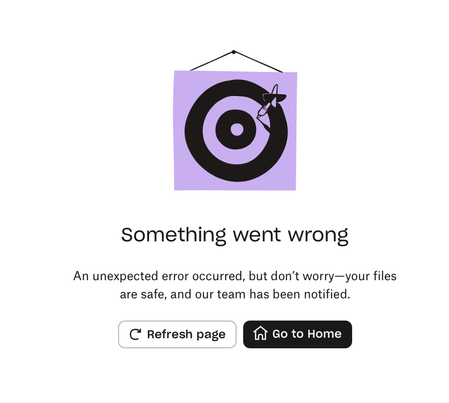
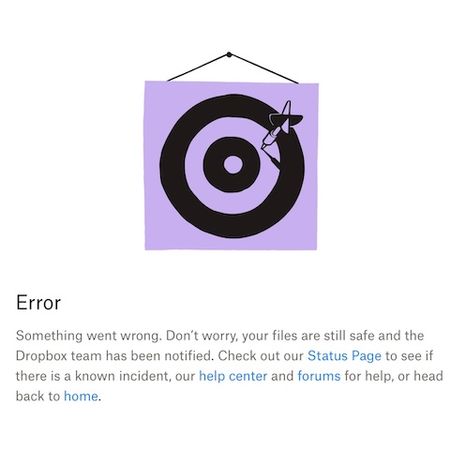
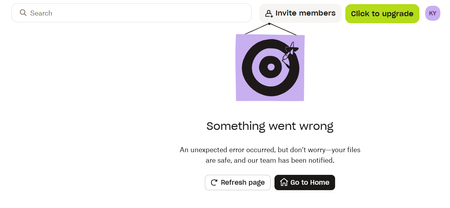
Device (Macbook Pro 2019) Operating System/Browser (if using the web) (macOS Sequoia 15.7.3) Dropbox App Version/Browser Version (Safari version 26.2 (20623.1.14.18.4)) Question or Issue I cannot access my account via this device, eventhough it works in my friend's device. When I refreshed the page, it seemed ok but after 2-3 seconds, this image showed up & that's it. I already restarted my Macbook, logged out my account & logged in again, but it's not help.130Views0likes2Comments
The "Contact support" page in the Dropbox Help Center results in an error message.
Device MacBook Pro Operating System/Browser (if using the web) macOS 26.2 Dropbox App Version (if using the app) N/A Question or Issue Clicking "Contact support" in Dropbox Help Center results in fatal error message. My browser is Safari.app. https://www.dropbox.com/get_helpSolved179Views0likes7CommentsDropbox.com is not working for some users
We're currently experiencing a service disruption with Website. Status: Investigating Affected Systems: Website Started: 1/22/2026, 9:46:41 AM UTC Last Updated: 1/22/2026, 9:46:41 AM UTC For the most up-to-date information, please visit the status page: https://stspg.io/8gp6yw4gl9g7 We are working towards a resolution as soon as possible, and we'll continue to share updates on this thread as soon as we learn more.266Views1like1CommentI'm unable to view my files on the web as I'm getting a 'something went wrong' error
Help, I'm unable to view my dropbox files. When I log in, it just keeps displaying the following error message. I've tried on different browsers, incognito mode, different wifi networks. Nothing works. This is getting me real worried.286Views4likes11Comments