Your workflow is unique 👨💻 - tell us how you use Dropbox here.
account access
23 Topics
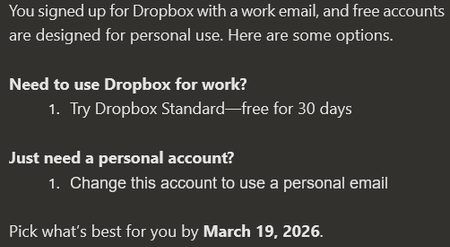
Users with business emails are forced to change their email addresses
Dropbox Plan Personal Payment Method N/A How did you upgrade? Question or Issue Multiple users at the office were sent and email explaining that they needed to use a personal email or pay for an upgrade. The only thing we use Dropbox for is to download links sent to us. We do not want personal email accounts to be used in the business. What options do we have? Thanks,249Views0likes10Comments
Feature Request: Support Multiple Dropbox Business/Teams Accounts (Multiple Tenants) in Desktop App
Hi Dropbox team — I’m posting this as both a long-time Dropbox user and a business owner. Today, the Dropbox desktop app only allows seamless use of one Business (Teams) account (plus optionally one Personal account). This creates a major problem for users who legitimately operate across multiple organizations. Real-world use case Many professionals today are involved with multiple companies at the same time, including: Business owners with multiple entities Holding companies with multiple subsidiaries Consultants / advisors supporting multiple clients Board members and fractional executives PE / investment professionals working across portfolio companies In these cases, we often need separate Dropbox Business tenants for security, compliance, and clean separation. The key point I am not asking for a workaround or a discount. I am willing to pay for multiple Dropbox Business subscriptions — but Dropbox currently does not provide a seamless way to run multiple Business accounts in the desktop app. What competitors already support Microsoft OneDrive/SharePoint supports multiple tenants cleanly, for example: OneDrive – Company A OneDrive – Company B Both sync simultaneously and appear natively in File Explorer/Finder. Dropbox currently forces users into clunky workarounds like: Using the browser for the second tenant Switching accounts repeatedly Creating separate OS user profiles Running virtual machines These are not realistic solutions for modern workflows. Why this matters This limitation is not a “nice-to-have.” It is a core enterprise usability issue and increasingly a deciding factor for businesses choosing between Dropbox and Microsoft 365. Dropbox is losing a valuable segment of customers who are willing to purchase multiple accounts — but cannot do so efficiently due to desktop client limitations. Requested solution Please add support for: Multiple Dropbox Business/Teams accounts logged in simultaneously Separate synced folders per tenant Seamless switching and visibility in Finder/File Explorer Clear tenant labeling and separation Even supporting 2+ Business tenants would solve a massive problem for many professionals. Bottom line Dropbox is an excellent product, but this is a fundamental gap. Many of us want to keep using Dropbox and expand our usage across multiple businesses — but we need Dropbox to support the reality of multi-tenant work. Thanks for considering this — I would strongly encourage Dropbox to prioritize this feature. Edward Cook Co-Founder, McCarthy Cook & Co. We were the first landlord of Dropbox's HQ at China Basin in SF and owner of Castro Station in Mountain View where you used to work. Come back to the office! You will be closer to your PAYING customers! I'm happy to double the amount we pay you monthly for new and better access and continue with Dropbox while you pursue true productivity gains harnessing AI57Views1like1Comment
Solving CAPTCHA dice math Problem over and over
I am trying to pay for a monthly subscription. I solved the first captcha (I saw the message that I had proved I was a human), and then was faced with more captchas, over and over and over! I know I have the answers correct, and even get a message saying something like "You can continue with what you were doing..." then another captcha comes up! What gives? It's like I'm in an endless loop of captcha puzzles!!Solved1.3KViews0likes6Comments
I need to cancel a subscription for an account I can no longer access
I need to cancel my subscription as my dropbox was tied to an email address from an old employer. I can't get assistance from anything online with dropbox. I am just directed to have a password reset and directed to that origiaonl email account, which I no longer have access to. I have tried several tickets with dropbox, but they close the ticket because they think they have resolved my issue I've paid every year over the past number of years over $100 a year. I can't access the benefit of my account because I can't log in to my dropbox with that email. I can't get dropbox to switch to my Gmail and I can't find assistance. I did find the website to mail a cancellation request, which I'll put in the mail today but holy cow, Mail? to cancel???? wow. disapointed with my customer service experience trying to switch my account over to an email I have access to. any assistance is appreciated as I mail the 1950's paper letter asking to cancel my account. PayPal ID [removed] Email for account: [removed per the Dropbox Community Guidelines] (I do not have access to this) as I do not work there anymore. my bad for not using my gmail originally.75Views0likes2CommentsI'm part of a Dropbox team, but it looks like I have a Basic account.
I (& a number of my colleagues) have a Dropbox sign-in because my company pays for & uses Dropbox for document storage. There is loads of space left on its subscription. However Dropbox seems to treat me personally as a customer with a basic account, rather than simply someone authorised to access my company’s account, given the email messages I receive from Dropbox about running out of space etc. How do I get Dropbox just to treat me (and my colleagues) as simply an authorised sign-in on my company’s account & not a customer? (I never put personal stuff on Dropbox given it would go in the company’s storage space.) Grateful for any assistance. Thanks, Jeremy199Views0likes10Comments
Can't receive a security code in order to access my account, and cancel my plan.
In my prior work, I used the work email address to register Dropbox and paid the subscription by my personal credit card. After quitting the job, I would like to stop the subscription. Though I remember the Dropbox account password, I can’t login my account due to the second factor authentication code was sent to the work email. I submitted a request to remove second factor authentication. However, I didn’t receive a response from Dropbox.148Views0likes7Comments
Our account was deactivated after successful renewal
Hi everyone, Our Dropbox account appears to be deactivated, even though our subscription was successfully renewed. Our renewal date was August 22, 2025, and our credit card was charged the same day for the following: Dropbox Standard Plan (includes 3 licenses) 60 Additional Dropbox Standard Plan Licenses Coverage period: 8/22/2025 to 8/22/2026 I’ve already submitted a support ticket, but haven’t received any response or assistance so far. Under the Billing tab, I see a button labeled “Resubscribe.” I'm not sure if I should click that — will it charge us again? Or is this a billing issue on Dropbox’s end? We’re currently locked out and urgently need access. Has anyone here run into a similar issue or know how to resolve this? Thanks in advance!209Views0likes4Comments