Your workflow is unique 👨💻 - tell us how you use Dropbox here.
desktop
107 Topics
How can I make my files “online-only” to free up hard drive space?
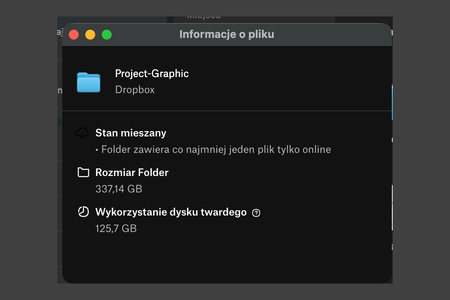
Hi! I’m on macOS and I use Dropbox with the “online-only” option (Smart Sync). Downloading/working with files is fine, but after I open/download things once, some of them remain stored locally. For example I have ~350 GB in Dropbox cloud storage, but my Dropbox folder still uses ~130 GB on my Mac. How can I remove all local copies and make everything online-only again? Is there a way to automatically remove local files after some time if I don’t use them (like “free up space after X days”)? If there’s no automatic option, what’s the best way to manage this manually when you have lots of files that you open once and then don’t touch for months? Thanks!92Views0likes1Comment
I uninstalled Dropbox from my computer, but the Dropbox folder still takes up space on my hard drive
I use to have a dropbox account (using company email credentials) from a company I have worked for before and now after leaving the company and unistalling dropbox, my Win10 is still saying I have around 28GB on that work folder. Another thing. When I go and right click on the dropbox folder and go to properties, its saying: Size: 800GB Size on disk: 28.4 Why do I have 2 different folder sizes? And, how do I delete everything dropbox in my PC (Dropbox already uninstalled, I do not see it in apps)Solved6.3KViews0likes18Comments
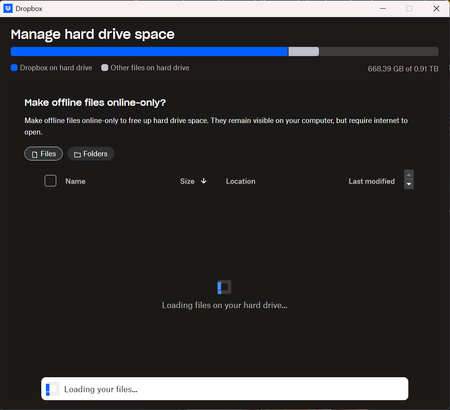
'Manage Hard Drive Space' folder information not loading on the desktop app preferences
Dropbox Plan Business Standard Device 13th Gen Intel(R) Core(TM) i5-13400F (2.50 GHz) Operating System/Browser (if using the web) Windows 11 home Dropbox App Version (if using the app) 239.4.8301 Question or Issue When I go through to Sync and Storage and then Manage Hard Drive Space I get the screen appear but no matter how long I leave the screen open it never updates to show the folders, it just constantly has the spinning wheel. This happens every time I use DropBox and has been for the last 4 weeks. Any ideas people? Thanks in advance James93Views0likes9Comments
My macOS desktop app gives me an incorrect low disk space error message.
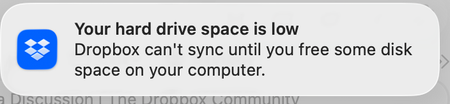
Dropbox Plan Professional Device M1 iMac Operating System/Browser (if using the web) MacOS Tahoe Dropbox App Version (if using the app) 238.4.6305 Question or Issue My Deskto App is showing that I'm using 4 TB of 4 TB. My online account shows that I'm using 2.76 TB of 4 TB. The online info is correct. The info from the desktop is wrong. I am getting Low Disk Space messages and my files aren't syncing and I think it's because the desktop app thinks I have no space available. Any idea how I can fix this? Thanks119Views0likes6CommentsMy Dropbox app keeps indexing files and I'm running out of hard drive space
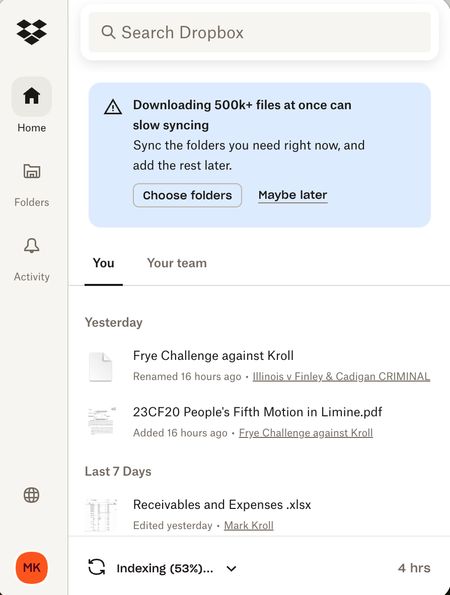
I was running out of room on my MacBook Air (2 TB, Sonoma 14.7.8) and was told to make all Dropbox folders Online only to free up storage. It started indexing and freed up almost 1 TB so I was happy for a few minutes. Then it kept indexing and a few days later I was out of memory again. This has been going on for 6 weeks! ChaptGPT calls this a "rehydration" DropbBox Death loop. Chat said to mark the whole DropBox master folder as Online Only, then stop and restart DropbBox ap. Did not solve the problem. Possible clue: My main computer (MacBook Pro (4 TB, Sonoma 14.6.1) is doing fine except the Finder now shows that there is a 20 GB "Conflicted" copy of my DropBox files. Can anyone help me?186Views0likes6Comments
Analysis of Dropbox storage space usage
Before when all your Dropbox was on your HDD you'd use local utilities to tell you what you were storing and how much drive space it was taking up. Modern dropbox with selective sync, hidden folders, long term usage with other people/clients--I can't get a real breakdown of what is taking up space where. Is there a tool or method through the app to see it all like Daisydisk or CleanMyMac or whatever else so one can selectively target removals based on size & age?7.4KViews1like5Comments
Mac seems to think HD is full of Dropbox files?
I'm using a Mac and have about 100Gb of DropBox folders, many are local on my HD as well (I have DropBox Plus 2Tb plan). I went through and changed all files to online only (grey icon) and now my DropBox folder says I have maybe 1GB...but in the finder when I look at overall space on the computer it's still showing HD is almost full! I have "Online only files on Mac" set to ON. I don't understand how DropBox deletes files because I had so much data locally stored and when I changed to online only I never saw anything show up in the Trash on my Mac...so I don't know how the files are deleted from my computer? How can I fix this so my computer doesn't think the HD is almost full? Thanks, Alan.Solved14KViews2likes24Comments
A "DropboxOEM" folder is taking up 17GB of my already small drive
The "DropboxOEM" folder is taking up 17GB of my already small drive. I don't use dropbox, how can I even remove it - is there any downsides to removing it? File struction with location: - User - <user> - AppData - Roaming - DropboxOEM - download (the specific one with 17GB in)Solved8.8KViews0likes3Comments
"Your Dropbox is full" but what is taking up my storage space?
On Mac air with newest OS. I uninstalled the app, checked the hard drive, restarted the computer, barked at the moon, clapped twice and prayed to allah. The problem remains. I refuse to pay to upgrade. I cannot sync additional files.Solved121KViews10likes51Comments