Our Community is in read-only mode until April 8th, learn more here. You can still search existing threads or get help via Dropbox Support, the Dropbox Help Center, or Learn.
iOS
25 Topics
How to download photos from Dropbox to iPhone Photos app?
Is there a way to download photos I have stored in a Dropbox folder to my iPhone Photo Stream using the Dropbox iOS app? There should be a way to do this but I can't figure it out. I know there's a "Make Available Offline" feature but that doesn't appear to be it. (I can't figure out what that's for either but that's another question). I just want to be able to download photos to my iPhone Photos. Thanks!Solved92KViews1like11Comments
Can I save multiple photos from Dropbox to the camera roll on my iPhone?
Is there a way to save multiple images to my camera roll all at one time on my iphone. I am using drop box a lot but have to click on every image and view it individually before I can save it to my camera roll. This is incredibly time consuming. Is there any way using the app or website to just click the folder and move it to my camera roll?Solved79KViews1like43Comments
I'm trying to download .mp4 files to iPhone but get an error "Couldn't save to this device".
I am trying to download an mp4 file to my iPhone and get the error "Couldn't Save, Sorry, this type of video cannot be saved to this device." I have removed the Dropbox app, restarted my phone and re-downloaded the app. No luck. I have also cleared the cash. Still no luck. Google has been no help. I'm sure I am not the only one with this issue...please help 🙂 Thank you!Solved12KViews0likes7Comments
How do I hide the sidebar/list column on the left side of the iPad app? Cannot find that option
How do I hide the sidebar? In the iPad app? The current one as of the date of this posting? I cannot find that option anywhere, and if it’s incredibly obvious and I’m overlooking it I will be upset with myselfSolved11KViews4likes7Comments
I can’t save a video from my mobile Dropbox app to my iPhone gallery. Getting a couldn't save error.
I used my computer to upload a mp4 file that I recorded, after uploading it to drop box, I wanted to save it to my IPhone X gallery. I can’t really save it, all I see is “Couldn’t save. Sorry, this type of video cannot be saved to this device” I’m really confused, I tried multiple times but it does not work. Oh and I can watch the video normally on the drop box app. I just can’t save it for some reason. What should I do?Solved9.3KViews0likes6Comments
“No preview available” error message, when trying to preview a file on the mobile app
Just today, I started getting this message when opening files that I’ve been able to open in the past, it says “No preview available. To view this file, open it on your computer. I use my iPad & iPhone 99% of the time to open my Dropbox files.8.6KViews0likes17Comments
iPad is asking for a password, when I try to annotate a .pdf file
Hello! Every time I export a PDF from Dropbox on iPad and save it straight to the iPad and try to annotate it on iPad, I can’t save, it keeps asking for a password. I never set a password… the original file never had a password either. I’m very confused…7.1KViews0likes7CommentsMy .docx can't be previewed when using my iPad or iPhone.Is it too long, and why is this happening?
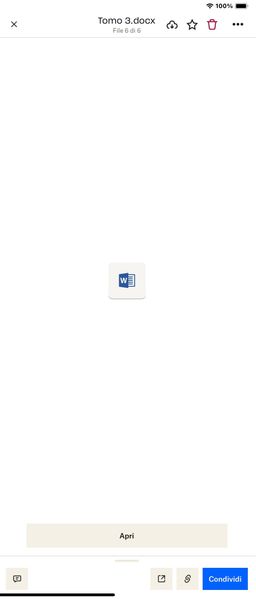
Hi everyone, sorry for the outburst, but it's absurd that an application like Dropbox has such a significant limit for those who work with word files of over 1000 pages. In my case, I have a file of about 1500 pages in word format, and the DropBox application on both the iPad and the iPhone cannot open it, but only displays a preview, which once clicked, does not allow me to see it. summary, thumbnails, nothing else, just a scroll down, between the top with overlapping writing. Reports to Dropbox are of little use because they are always ignored. It's really frustrating not being able to see the file as you want just because it has more than 1000 pages, I'll start by saying that it only weighs 15 MB, so I find it absurd.5.3KViews0likes19CommentsThe color of my videos changes after being added to Dropbox.
Lately when I have downloaded videos from my iphone 12 to the dropbox app the color in the videos have been distorted and not clear. Does anyone have a fix for this? This is also happening with my wife’s iphone to the dropbox app. Thank you.2.5KViews1like14CommentsAll of the sudden I can't play audio files on my iPhone... any idea why?
I have the Dropbox iphone app and all of the sudden the m4a and mp3's in my folders are not playable. I see the same audio thumbnail I have always seen but it just spins and spins and eventually becomes an image. This is happening on mobile web via safari as well. Has anyone experienced this?Solved2.3KViews1like5Comments