Our Community is in read-only mode until April 8th, learn more here. You can still search existing threads or get help via Dropbox Support, the Dropbox Help Center, or Learn.
iOS
14 Topics
Unable to edit word documents on iPad / Microsoft word
Hello, I am using Dropbox (v206.5) on my iPad (up to date with IOS 14.01) and for most word documents I am able to open them from Dropbox app and edit them in word with no problem. Periodically, when I open them, the document will open in word, but I am unable to make changes to the document (can't even type or change text). I have checked to make sure that the documents are not "read only" and I when I try to open the documents on another device (my iMac), I am able to open and modify the documents with no problem. I have also check to make sure that the documents are not open on any other device. I have also tried to uninstall and re-install both the Microsoft word app and the Dropbox app on my iPad. Any other ideas on what may be going on? thanks in advance.21KViews0likes27Comments
Cannot open Excel files with the Excel app through Dropbox on iPhone
I use the Dropbox app on my iphone. I used to be able to open excel files in excel by using “open with - excel”. But now it sends me to a screen saying Microsoft Integration wants permission. I hit the Allow button (the only other option available is “learn more”) and it just takes me back to the list of files in Dropbox. I can never get past that. I used to be able to open them from the Excel app as well, but not now. What has changed and what can I do?Solved16KViews0likes32Comments
Editing an Excel file on my iPhone. Is this possible?
Hi, I hope I am asking this question in the right category. If not I am sorry. But my problem is that I have generated an Excel file on my desktop and copied and pasted into my Dropbox. When I open this file in Dropbox on my iPhone I can view, cut and copy the file but I cannot edit it. I have the Excel app installed on my phone, but even using the app the function to edit is not there. Does anybody out there know a solution to this as I am led to believe I should be able to edit this kind of file3.9KViews0likes20Comments
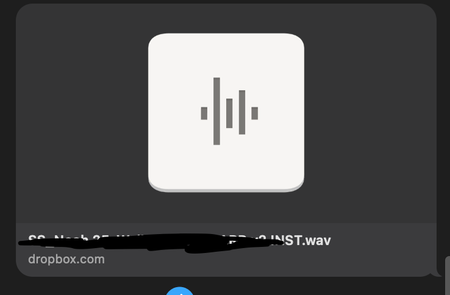
Links from Dropbox no longer show a preview on Apple Messages
In the last 24 hours, Dropbox has stopped showing link previews when sending over Messages in iOS. Now, only the Dropbox icon and name shows. Has anyone found a fix for this? Before and After Screenshots attached.Solved3.5KViews0likes11Comments
"Nothing in folder" error when trying to attach Dropbox files to Outlook on iPhone
I have a very similar issue on an iPhone 15 trying to attach documents from dropbox to Outlook mobile email. Everything worked fine up until about four months ago when suddenly attaching to dropbox started giving the error “Nothing in folder, Looks empty over here“. Deleting the Outlook mobile app and reinstalling it and repeating the same for Dropbox and reconnecting the two again makes no difference, resetting Dropbox on Outlook mobile app also makes no difference. I checked the Files app on the device and dropbox shows up and is active and all the folders can be seen there, but outlook Mobile appears to be incapable of reading any of them. I use Outlook mobile with dropbox files constantly, or did it up until this issue happened. This only appears to happen on iPhone, as the same application combination appears to work fine on iPad. I would greatly appreciate your assistance.🙏1.1KViews0likes3Comments
I'm seeing a weird exclamation mark next to Dropbox on Xmind on my iPad.
Hello, My Dropbox app on iPad is not syncing with my Windows 11 desktop. For example, when I open a mind mapping software that I use (Xmind) and try to open a mind map that I saved in Dropbox desktop: beside the Dropbox icon, there is a circle formed by two arrows with an exclamation point inside of the circle. I cannot find any information in Dropbox support files on this specific icon. I am guessing it is indicating some sort of sync issue. I would appreciate your instruction and help for this Dropbox newbie. Thanks much! DaveSolved859Views0likes16CommentsDropbox sync problem with Setlist app. Can't connect with Dropbox.
I am using an app called SetList on my IPad Pro. Its used for uploading songs charts. It uses Dropbox to upload from. Recently when I try to connect to Dropbox to upload a file, the Dropbox login page opens. I can enter my username. Its says welcome back and after I enter my password. it just spins the status square. I am running 13.1.3 on the Ipad. The Setlist app has not been updated in years. Any suggestions would be greatly appreciated.245Views0likes6Comments