Your workflow is unique 👨💻 - tell us how you use Dropbox here.
sync
52 Topics
Dropbox unstable in iPad OS Files App.
The problem I have is that Dropbox seems to crash when running on an iPAD via the apple files app. If I open an application that uses the files app, such as Pages or Final Draft, when saving to the Dropbox via the files app, it crashes the app and for the next 4 to 5 minutes if I click on drop box via the files app it just doesn’t load. Apple has confirmed this is a Dropbox issue (I raised it with them first), and I have not been able to crash the application(s) using Google Drive via files in the same way. Can anyone help?Solved21KViews4likes155CommentsUnlimited cloud backup on Dropbox with a Synology NAS. Is this possible?
Hello all, Apologies for the repost if so but I need help understanding the functionality of the cloud tech and services. My goal is to have an unlimited cloud backup on Dropbox of my Synology NAS archive. Does Dropbox Back-Up support that? Details: I have a Synology NAS 4-bay. I use it for personal archives and some client collaboration (photo and video). I want to use Dropbox for client collaboration instead and reserve Synology for personal archive and backblaze as cloud back-up for the archive (which also includes client work). Mostly because the Synology is currently via wifi and is too slow for collaborating but okay for archive. While making a personal Dropbox account I saw Dropbox Back-up allows unlimited space for backing up. I thought this might be useful and perhaps an alternative to backblaze for the back-ups need (in addition to the personal account for collaboration needs) Then I saw this, "Files on your PC or Mac are continuously backed up to the cloud." Does Dropbox Back-Up support syncing all Synology NAS files with unlimited space or only the local computer and external drive? Is this how this works or am I thinking about this wrong? Edit: Synology has Hyper Backup where you can sync to Dropbox. Do I start there and work back to Dropbox Backup unlimited plan?Solved20KViews0likes5Comments
My desktop app is stuck on syncing constantly
I actualy tired about bad dropbox mac desctop app performance... I'm pro user alredy more than two years... And last week my dropbox app stoped working.. Yesterday app stuck on syncing 386 files for all day.. Today app stuck on 1 file and overload my CPU!!!!!!! And this is not first time.. A have big amount of files in my account, about 300gb and more than 200000 files.. and I don't want to resync all my files agan.. Last time it took me more than 3 days... And this CPU usage.. it's not normal!!!! App version: v68.4.102 Macbook Pro 15" i7, 16gb ram, Mojove latest version.. If you not fix this issus, i will cancel my subscription and migrate to google drive.. I can't work this anymore!!!Solved17KViews1like12Comments
"Enable Finder Integration"
I hope I'm asking in the right place. Did Dropbox do away with the "Enable Finder Integration" option? When it's *disabled* the image dimensions are displayed in the Finder with my pictures rather than "up to date"... That's what I want, to disable it. I don't want the big green check mark. I can't find the "Enable Finder Integration" option in preferences anymore.Solved15KViews3likes14Comments
Sync specific photo album on iOS with Dropbox?
For my work, sometimes people tag our products on Instagram. I use an iOS Shortcut to save these photos onto my iPhone, and then I always save the photos in a specific photo album inside the native Photos app to keep it organized. However, when I work from my MacBook it’s sometimes a bit annoying that all of these photos are on my phone; not on my MacBook. So I use Airdrop to transfer them. It would be much easier if when adding the photo to the album on my iPhone, it would at the same time also be uploaded to a Dropbox folder. Is it possible to somehow just sync one iOS photos album with Dropbox? I tried the IFTTT Applet called "If new photo added to iOS album, upload to Dropbox" which sounds like exactly what I need, but it doesn't seem to work.Solved12KViews0likes8Comments
Issue with Good Notes and Dropbox
I am using Good Notes for iPad for studying and whenever I want to insert images from Dropbox, the menu that opens to select the image often stays black and it takes approximately 10-30 minutes until it works again. restarting the app or device doesn't help, only waiting fixes it. Sometimes the problem occurs right after opening the app, sometimes after a while of working. I already reached out to Good Notes Support and they said: "I believe the problem could be related to Dropbox's File Extension couldn't load/retrieve your images from Dropbox's server for some reasons. If you notice this issue is occuring frequently, kindly reach out to Dropbox Support team and see if they have some solutions (as the file extension for showing files from Dropbox is maintained on Dropbox side). " So, what can I do?11KViews1like16CommentsHow can I use Kindlebox to get my Kindle books on Dropbox?
Hi I want to send books that I have saved on Dropbox to my Kindle and I read online that you can do this automatically if you set up Kindlebox on Dropbox - can;t find Kinbdlebox anywahere on my Dropbox app on my laptop. Anyone able to assist me please? thanks a milSolved9.6KViews0likes7Comments
Dropbox issue with syncing to Synology after April 20 update
My synology NAS synchronized dropbox perfectly for years. After the April 20 update the synchronization caused mayhem on my NAS. Online all is well up to April 20 but no more synching of our work files after that. Now I found out yesterday that a warning email was sent that i never noticed, but how to solve it now? The dropbox has 4 team members and 5 top level folders, one of those folders was synched to the NAS for one team member. Now synching occurs to the private folder of that team member, synching hundreds of gigabytes for no reason since we have all that nfo already in the toplevel folder. We have had a business account for years, but now it is advanced(?!?) but more costly than the business? Apparently you need a business account to be able to sync. So I upgraded to business, but now dropbox tells me that will be implemented March 2025 😳. Any suggestions, on how to get my system back up and running the way it was?Solved8.8KViews2likes6CommentsInDesign will freeze if we try to open files that are online-only
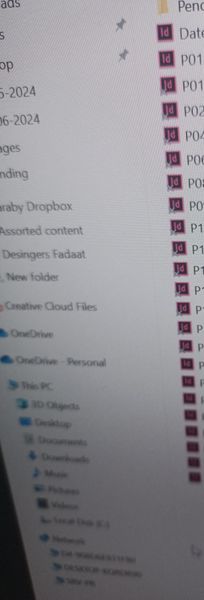
Please note that we have a Dropbox shared among multiple employees. Since yesterday, we've encountered the following issue: Whenever we try to open any files, such as InDesign or Photoshop files, through Dropbox that have a cloud status, the application freezes. To work around this, we need to right-click on the file in Dropbox, select "Save Offline," and then open it in InDesign through Dropbox. This problem did not occur before. If we don't save the file offline first in Dropbox, InDesign will freeze until we quit Dropbox, reopen it, save the file offline, and then open it again through Dropbox to work on it. For example, if we click on one of these items that has a transparent X to open files from Dropbox in InDesign, InDesign will freeze first like in img1: img1 second dropbox freeze also, for example if you right click on any dropbox file , no option to save the file offline or online .... like img2 : img2 the only solution is first to quit the dropbox then open it again when dropbox became like img3 : img3 then make the file you want to open through InDesign, Photoshop, or any other app available offline first. Then, you should be able to open it without any problems. Another problem we're encountering is with opening files from Dropbox in InDesign. The first time we open a file, it displays correctly with icons like in img3. However, the second time we open a file, it appears like img1, with the dark green icon missing and the cloud icon becoming a transparent X. To restore the correct display (like img3), we have to quit Dropbox and reopen it. Please address this issue as it affects multiple desktops and laptops used by six different users from various companies. Some of these users are on Windows 10, while others are on Windows 11. The problem started appearing yesterday.Solved8.3KViews3likes34Comments
Sync and backup problems with DataVault
Hi First post - hope someone can help I've been using DataVault for many years for storing passwords and other information. It has some form of integration with Dropbox to allow it to share data between my Android phone and tablet. Up to recently it has worked perfectly - but no longer. When I add additional information to my Datavault on either my android tablet or android phone it will no longer sync nor can I backup to Dropbox. Dropbox is installed on both devices with the same login details but I keep getting the message Dropbox Exception:com.dropbox.coreNetworkIOException:handshake failed. How do I fix this? Many thanks in anticipation.Solved7.9KViews0likes33Comments