Your workflow is unique 👨💻 - tell us how you use Dropbox here.
windows
73 Topics
Windows cannot find folders revealed by search Dropbox
Device Custom PC - 13th Gen i7, 48GB Ram Operating System/Browser (if using the web) Windows 11 Dropbox App Version/Browser Version 241.4.4795.0 Question or Issue When I search dropbox and then click on a folder, windows cannot find the folder. This is only happening with some folders, not all. This was never a problem prior to the recent update.Solved210Views0likes12Comments
When opening LibreOffice my files give me an error, and fail to download.
Integration Affected LibreOffice Device Fujitu desktop Operating System/Browser (if using the web) Windows 11 Dropbox App Version (if using the app) I'm uing the desktop version. Question or Issue I had to have a change of computer as my other one died. My other computer ran on Linuz, but my replacement one uses Windows 11 and Firefox. I have LibreOffice installed on this computer. I logged into Dropcox and tried to open my spreadsheet in LibreOffice Calc, but it failed to download and showed an error meaage.183Views0likes8Comments
Preview pane images accessed via UNC on a server in Dropbox are blank.
This is a tough one. We have Dropbox syncing our server files and access those via mapped network drives on workstations. All files stored locally. The problem is images stored on the server in the Dropbox folder will not preview in the windows explorer preview pane. I create a share outside of Dropbox and boom it works. The thing is PDF, DOCX & XLSX preview fine. It's just images (JPG, PNG, BMP, TIFF). Yeah Dropbox doesn't support server OS ok. Server is 2022. We have had this setup since Server 2012 and has been working great for over a decade. Thinking of moving onto something else, no not SharePoint already tried that. We have heaps of data and SharePoint is too expensive. Maybe a NAS. If anyone can think of something I haven't tried that would be awesome. Must be a permissions issue somewhere.120Views0likes4Comments
Larger folder refuse to become available offline on my PC.
Hi all, I have a Dropbox Plus account and wish to save files for offline access. I can do this by toggling Offline Access in Preferences with some folders but for the larger folders Dropbox refuses to let the files download and all is only available online. There is plenty of storage on my PC or external drives that I have tried with. Does Dropbox have a limit on folder size that it will sync like this? Any tips as to what I am doing wrong? /steve140Views0likes4Comments
"File cannot be accessed by the system" error message on my Windows device.
I have a paid account from Dropbox Plus. When I attempt to access some files in Dropbox, I get the File Cannot be Accessed by the System error. This happens with all of my jpg and other photo files. I have been able to access all of these files in the past. It's only since I moved to Windows 11 that this has started. Any help is appreciatedSolved8.7KViews0likes8Comments
What does the brown box icon next to my Dropbox files mean on Windows?
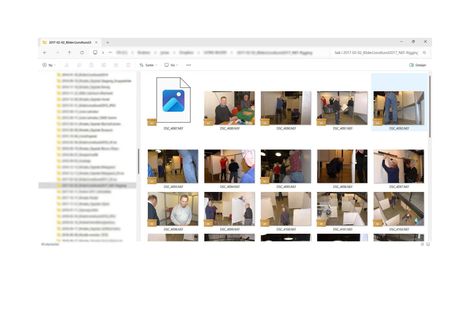
I have searched the relevant help topics without finding an explanation on the "brown box" icon that appears on files in my Dropbox folder. See the attached file "Dropbox_Meaning of Icon_BrownBox.pdf" (below).2.6KViews0likes3Comments
I can't scroll through photos anymore on Windows?
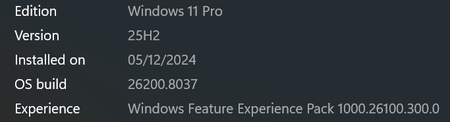
I used to be able to: open my dropbox folder, click on a folder with pictures, double click a picture to have it appear full-size on my screen, then scroll through the rest of the pictures in that folder by hitting the cursor keys. Now, since the update, sometimes I can't scroll at all, or when I can, it will show pictures that have been moved to other folders, but not the current pictures that are in the current folder. This is a serious problem for me because I am constantly scrolling through new photos that we use for marketing. I am running: Edition Windows 10 Home Version 21H2 Installed on 3/25/2021 OS build 19044.2364 Experience Windows Feature Experience Pack 120.2212.4190.0 HELP!5.2KViews2likes21Comments