Our Community is in read-only mode until April 8th, learn more here. You can still search existing threads or get help via Dropbox Support, the Dropbox Help Center, or Learn.
Forum Discussion

Pansy L.
2 years agoHelpful | Level 5
Camera Upload thumbnail not showing on mac
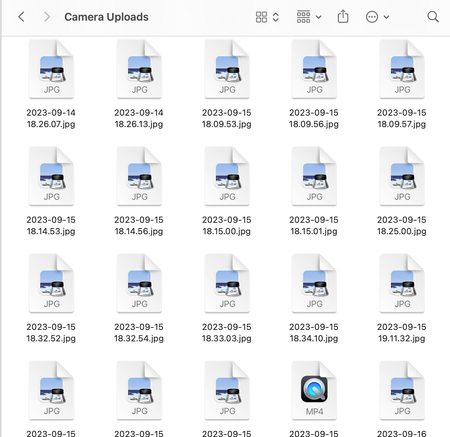
I use Smart Sync I'm on a Macbook Air Ventura 13.5.2 I know SmartSync doesn't download the files to your laptop but I'm pretty sure I used to get low-res thumbnails of the images in my Camera Up...
- 2 years ago
Hi Pansy L., you need to specifically select the images or the folder with images, and then right click and 'Make available offline', give it time to download, and then right click again and 'Make online-only'.


Snowdog63
2 years agoHelpful | Level 5
😕D'oh!
Good luck with your ongoing search.

Hannah Dropbox Community Moderator
2 years agoDropbox Community ModeratorHey luizfernandomiller, you mentioned in a previous reply that when switching the files to available offline and then to online-only again, the thumbnails reappear.
Is this not the case anymore?
 luizfernandomiller2 years agoCollaborator | Level 8
Hannah
This workaround to download as offline and then change to online works.
But I have a lot of Gigs at Dropbox to do that. Is not a workaround for me.
A tried to do that in the past days and it took so long.
What I said is that the solution of Snowdog63 didn't work for me because the thumbnails is working fine in my Mac with offline files and online files (OneDrive, Google Drive and so on). The only problem is with Dropbox. New files downloaded as online were without thumbnail.
Best,
About View, Download, and Export

Get support with viewing, downloading, and exporting files and folders from your Dropbox account.
The Dropbox Community team is active from Monday to Friday. We try to respond to you as soon as we can, usually within 2 hours.
If you need more help you can view your support options (expected response time for an email or ticket is 24 hours), or contact us on X, Facebook or Instagram.
For more info on available support options for your Dropbox plan, see this article.
If you found the answer to your question in this Community thread, please 'like' the post to say thanks and to let us know it was useful!


