Your workflow is unique 👨💻 - tell us how you use Dropbox here.
Forum Discussion

bricealef
4 years agoNew member | Level 2
Dropbox Link Broken When Overwriting File
Hello
I've been having problems lately when overwriting files on Dropbox. It used to be that when I'd overwrite a PDF exported from Indesign, the file location and link would stay persistent. B...

LSD_C
2 years agoNew member | Level 2
Hi Walter,
Many thanks for your prompt reply that's really helpful.
I'm working via the DropBox App installed on my Mac / Working on and saving file directly on my Mac.
When ready to share the file with team members or clients, I would generate a link (via right-click menu etc) and send that link out.
Let's take PDF's for example. Normally, I could simply update a file/make corrections to it - save and close and that file would sync.
So the next time anyone who had the link opens it again, would open or view that updated file.
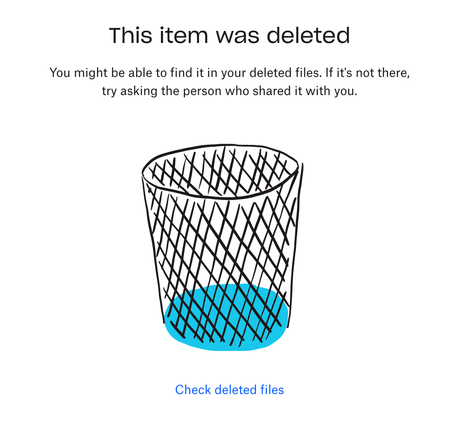
What is happening however is, when a change has been made to the file and closed - the link that was originally associated with that file no longer works and points the viewer to a page saying it has been deleted.
It's totally not efficient for me to be using the browser to work like this, so Dropbox being sync'd and links not being broken is hugely important for my business.
Thanks again for your attention and best,
LSD_C

Walter Dropbox Community Moderator
2 years agoDropbox Community ModeratorThanks for the additional details there LSD_C - most appreciated.
Would it be OK if we reached out via email to have a further look internally at this point?
 lsdc2 years agoExplorer | Level 4
Absolutely. Drop my a mail.
My best,
LSD_C- Walter2 years ago
Thanks for the cooperation lsdc
I've just sent you an email so please have a look at your inbox and we'll take it from there.
 BostonQual2 years agoNew member | Level 2
Hi, Walter! I'm having the same issue. I save pdf files, rewriting the old versions, and Dropbox tells me the link I created originally no longer works because the "item was delete." I have Dropbox downloaded to all of my computers and save/rewrite all of my files using the installed Dropbox app.
About View, Download, and Export

Get support with viewing, downloading, and exporting files and folders from your Dropbox account.
The Dropbox Community team is active from Monday to Friday. We try to respond to you as soon as we can, usually within 2 hours.
If you need more help you can view your support options (expected response time for an email or ticket is 24 hours), or contact us on X, Facebook or Instagram.
For more info on available support options for your Dropbox plan, see this article.
If you found the answer to your question in this Community thread, please 'like' the post to say thanks and to let us know it was useful!


