We’re Still Here to Help (Even Over the Holidays!) - find out more here.
Forum Discussion

Biff_A
6 years agoNew member | Level 2
I can't seem to get my subfolder to be visible. What can I do?
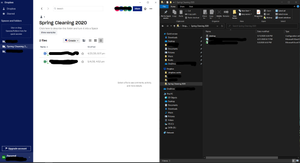
So, this issue is a fairly recent one, not sure if it is due to a dropbox or Windows update, or if there's another step I need to take.
I have a set of folders shared with me with work inside I nee...
- 6 years ago
Hello Biff_A, let's see what we can find about this together.
As a first step, could you have a look and see if the folders you're missing locally contain any incompatible characters in their names?
If they don't could you confirm what the Dropbox icon (on your system tray) shows when you hover over it?
Keep me posted!
PS. Your technical support options depend on the account that you have. To see yours, log in via the website and go to dropbox.com/support.

Lusil Dropbox Staff
6 years agoDropbox StaffHello Biff_A, let's see what we can find about this together.
As a first step, could you have a look and see if the folders you're missing locally contain any incompatible characters in their names?
If they don't could you confirm what the Dropbox icon (on your system tray) shows when you hover over it?
Keep me posted!
PS. Your technical support options depend on the account that you have. To see yours, log in via the website and go to dropbox.com/support.
 Biff_A6 years agoNew member | Level 2
Lusil,
Thank you so much, it appears there were colons in a significant number of folders (originally created on a MAC machine). The folders are showing up in the Windows installation of dropbox now. I'm now flabberghasted as to why they were ever working in the first place!
Everything is showing up, my issue is resolved. Thanks again.
- Lusil6 years ago
Happy to help, Biff_A! I'm glad to hear that we were able to get to the bottom of this.
If anything else comes up in the future, just give us a shout.
In the meantime, I hope you have a lovely week ahead!
 Bbrown28346 years agoNew member | Level 2
I just had to send a reply and say I wasn't the one who sent this question in originally but your response worked for me! I had tried everything and cannot believe it was because there was a 'period' in the folder name that was keeping the folder from showing up on my computer offline. Thank you!
About View, download, and export

Need support with viewing, downloading, and exporting files and folders from your Dropbox account? Find help from the Dropbox Community.
The Dropbox Community team is active from Monday to Friday. We try to respond to you as soon as we can, usually within 2 hours.
If you need more help you can view your support options (expected response time for an email or ticket is 24 hours), or contact us on X, Facebook or Instagram.
For more info on available support options for your Dropbox plan, see this article.
If you found the answer to your question in this Community thread, please 'like' the post to say thanks and to let us know it was useful!


