Need to see if your shared folder is taking up space on your dropbox 👨💻? Find out how to check here.
Forum Discussion

Marshal mellow
2 years agoCollaborator | Level 8
Not able to download a photo from Dropbox to my phone. Why?
I've always used my PC for Dropbox and now all I want to do is download a picture to "photos" on my phone and I can't seem to do it. Can anyone help?
- By using my son's seemingly unorthodox method of screen grabbing the photo and saving it I would say, yes, it has (?) Thank you so much for all your help ❤️
28 Replies
Replies have been turned off for this discussion
- Jay2 years ago
Dropbox Community Moderator
Hi Marshal mellow, in order to understand exactly what you're seeing, we need to see a screenshot of what you're describing.
iOS:
Android:
Are you using an Android or iOS device? Which app are you using to open the photos? Any information you can provide would be useful.
 Marshal mellow2 years agoCollaborator | Level 8Hi I'm using Android and the Dropbox app
- Jay2 years ago
Thanks for the info, if you're not able to take a screenshot using the steps above, please could you describe exactly each step and and button you are tapping on the screen, and what you're experiencing?
- Marshal mellow2 years agoCollaborator | Level 8
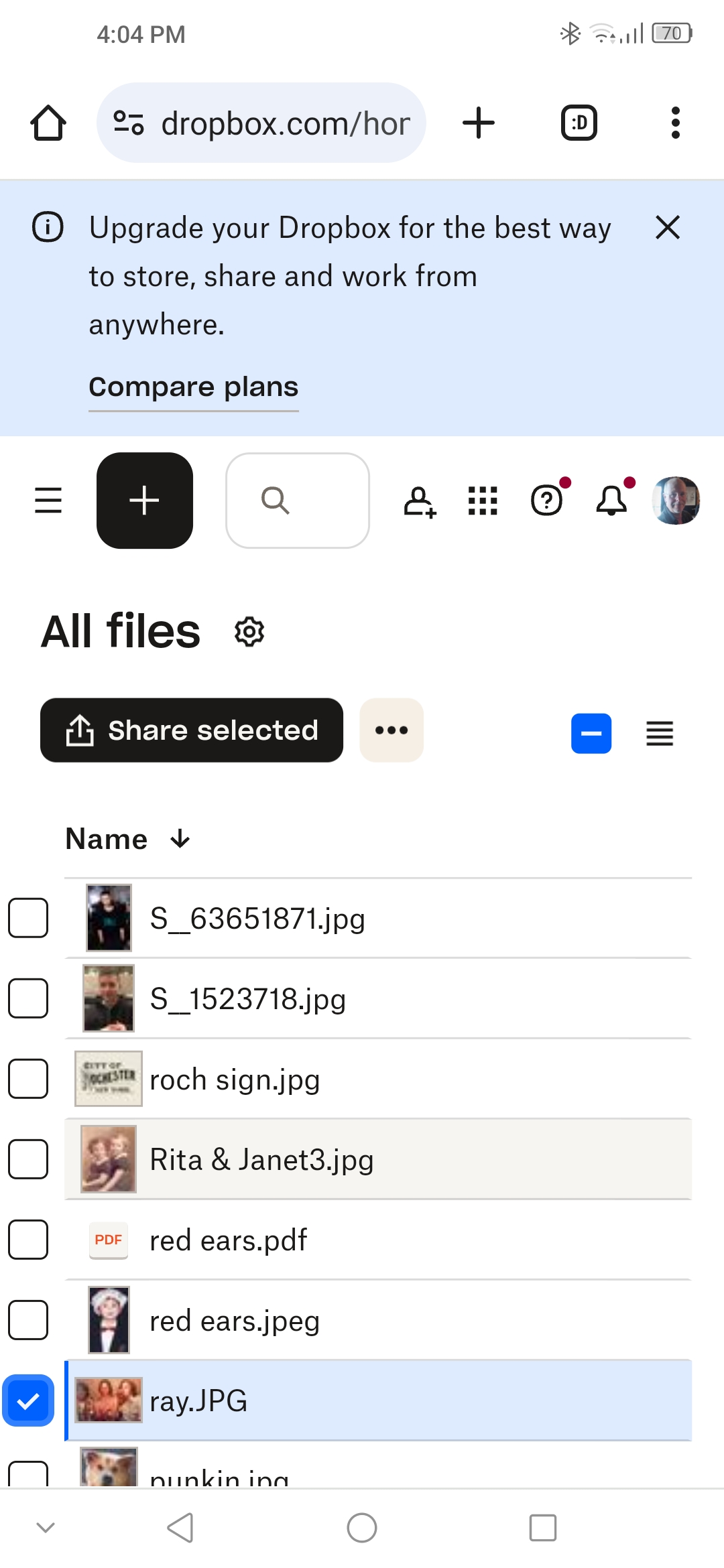
I hope this is what you want 🙏 - Marshal mellow2 years agoCollaborator | Level 8Thank you so much for your help. I just get a check mark
- Jay2 years ago
This is an option to select the file, it doesn't download it automatically. You need to follow these steps to download a file to your phone directly. Are you able to see the ellipsis next to the file before adding a checkmark?
- Marshal mellow2 years agoCollaborator | Level 8Using the app I can't even see my photos no matter what I push
- Jay2 years ago
Are you tapping the images once, or holding your finger on them instead, which would bring up the check mark?
- Marshal mellow2 years agoCollaborator | Level 8Now I have a new problem. I just went the app and photos and all I get is a beige square with blue lines swirling around it. 😒
- Marshal mellow2 years agoCollaborator | Level 8I'm sorry to say this but Dropbox is very confusing. Maybe I'll have better luck on my PC

About View, download, and export

Need support with viewing, downloading, and exporting files and folders from your Dropbox account? Find help from the Dropbox Community.
The Dropbox Community team is active from Monday to Friday. We try to respond to you as soon as we can, usually within 2 hours.
If you need more help you can view your support options (expected response time for an email or ticket is 24 hours), or contact us on X, Facebook or Instagram.
For more info on available support options for your Dropbox plan, see this article.
If you found the answer to your question in this Community thread, please 'like' the post to say thanks and to let us know it was useful!


