We’re Still Here to Help (Even Over the Holidays!) - find out more here.
Forum Discussion

sampodog
3 years agoExplorer | Level 3
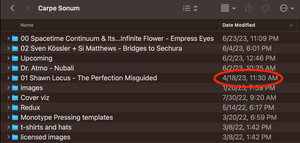
Recently added files do not show up as recent (but are visible when I drill down)
This has been going on for years. I share a Dropbox folder with one other person. When he puts new files in a sub-folder, I get no notifications. ZERO. Not on my phone, not on my laptop. OK, that's a...

EvanDBX Dropbox Community Moderator
3 years agoDropbox Community ModeratorHey sampodog, sorry for jumping in!
Could you try following the folder using these steps and let me know if they help?
Also, if you do not see a Dropbox icon on your menu bar, that means that the Dropbox application might not be running or might be hidden. You can try finding it and then clicking it to check if you can see your recent activity from there.
Keep me updated!

sampodog
3 years agoExplorer | Level 3
When I launch the Dropbox app on my Mac (2021 MacBook Pro M1 running Ventura 13.4.1), it just brings up the Dropbox folder in Finder. I see no Dropbox icon in the Dock or in toolbar. But I'm able to see Dropbox running when I launch ps in a Terminal window:
There seem to be a bunch of Dropbox processes, actually.
About View, download, and export

Need support with viewing, downloading, and exporting files and folders from your Dropbox account? Find help from the Dropbox Community.
The Dropbox Community team is active from Monday to Friday. We try to respond to you as soon as we can, usually within 2 hours.
If you need more help you can view your support options (expected response time for an email or ticket is 24 hours), or contact us on X, Facebook or Instagram.
For more info on available support options for your Dropbox plan, see this article.
If you found the answer to your question in this Community thread, please 'like' the post to say thanks and to let us know it was useful!


