We’re Still Here to Help (Even Over the Holidays!) - find out more here.
Forum Discussion

rlawrence2
9 years agoHelpful | Level 5
I can't see an option to delete photos from the Photos directory
Ok, read threads that say "Delete" is there and I still don't see it. I do on the "Files" screen, but not the Photos directory. Looking online in Firefox, I get NO option to delete a photo when se...
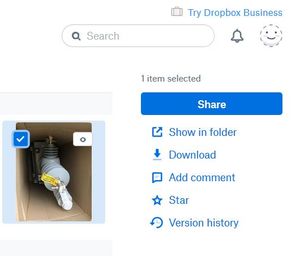
- 9 years agoYou can no longer delete from the Photos page. You need to select a photo and choose View in folder. From there you can delete it.


rlawrence2
8 years agoHelpful | Level 5
Ok Dropbox you fixed it, sorta. What they did was to allow you to click on the photo(s) in the photo view and then click "show in folder"; it then brings up a new window/tab with the photo(s) already clicked. Before you had to search for that photo(s) and delete. Now you just have to ass.u.me that they are all clicked if multiple photos were selected, or again... search and find.
Dropbox, why not just put a "DELETE"! on the multiple and photos page?? What are you saiving by taking this feature away from the web solution that you had before? Is it you need your software on every computer maybe?
 Barnickal7 years agoNew member | Level 2
Doesn't work like that for me. I have about 30gb of photos/videos in my Camera Uploads and when I click "show in folder" it takes ages and then just shows me the whole folder. Very useful...not.
 Aggiechi7 years agoExplorer | Level 4
Totally agree! and once you click on a photo it takes you back to the VERY top so you have to scroll all the way down again. I'm thinking about switching - maybe Picassa?
- Barnickal7 years agoNew member | Level 2
Maybe. I have DB pro thanks to work, so no choice really.
About Delete, edit, and organize
Solve issues with deleting, editing, and organizing files and folders in your Dropbox account with support from the Dropbox Community.
The Dropbox Community team is active from Monday to Friday. We try to respond to you as soon as we can, usually within 2 hours.
If you need more help you can view your support options (expected response time for an email or ticket is 24 hours), or contact us on X, Facebook or Instagram.
For more info on available support options for your Dropbox plan, see this article.
If you found the answer to your question in this Community thread, please 'like' the post to say thanks and to let us know it was useful!


