We’re Still Here to Help (Even Over the Holidays!) - find out more here.
Forum Discussion

fransvandervleuten
2 years agoHelpful | Level 7
One of my folders just disappeared on my Mac, how can I get it back?
Hello,
One of my main folders on my Dropbox just disappeared in my finder. It is there, because I checked it in my browser. But I work from my finder, bcuae I use Photoshop/Illustrator/After E...
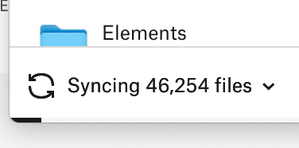

fransvandervleuten
2 years agoHelpful | Level 7
I did a test trying to figure out what is happening.
I made a Word file on my Mac Studio:
I also have an old MacBook on which everything seems to work fine, but let me show you what is happening there:
No syncing is going on, but the testfile is no where to be found. Also in my browser the file looks like it it no where to be found:

Jay Dropbox Community Moderator
2 years agoDropbox Community ModeratorHi @fransvandervleuten, from the screenshots provided, it looks like there aren't any sync icons visible in both your Finder screenshots.
Are you certain the Dropbox desktop application is running and fully synced on both devices? Have you marked files as available offline or online-only?
About Delete, edit, and organize
Solve issues with deleting, editing, and organizing files and folders in your Dropbox account with support from the Dropbox Community.
The Dropbox Community team is active from Monday to Friday. We try to respond to you as soon as we can, usually within 2 hours.
If you need more help you can view your support options (expected response time for an email or ticket is 24 hours), or contact us on X, Facebook or Instagram.
For more info on available support options for your Dropbox plan, see this article.
If you found the answer to your question in this Community thread, please 'like' the post to say thanks and to let us know it was useful!


