Your workflow is unique 👨💻 - tell us how you use Dropbox here.
Forum Discussion

Suntory
2 years agoHelpful | Level 6
'Search by tag' not working
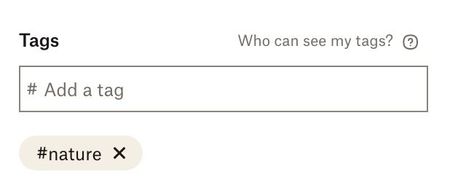
I have applied tags to my photos, but the tags are not showing up in the search bar. When I perform the search, I get results that I assume Dropbox's image classifier has unhelpfully recognized as re...
- 2 years agoThanks for checking and confirming the tag search issue has been resolved! I am glad I was able to deliver this news.
If you should have any other issues, please reach out! Have a great day.

Iliana-DBX Dropbox Staff
2 years agoDropbox StaffThanks for reporting the issue with #tag search not working since the added comma is bringing up 0 search results.
I was able to reproduce this new issue and have brought this to the engineering team that owns this area.
We are hoping to see this resolved before the month is over. I will update this thread once I see we have this solution released.

khaleeq96
2 years agoExplorer | Level 4
Hi,
I spent quite some time organising my team's image library by tagging natively on Dropbox (without moving any files to different folders) and after adding roughly 3-4 tags on average to each file, whenever I search, some tags don't simply don't work. And I think even if they do, they don't display all the results. I've even put the '#' before the search term and still nothing. Please see screenshots below:
- khaleeq962 years agoExplorer | Level 4
It's not working, please help with this. It's urgent as my team needs this feature to work asap thanks
 BenDBX2 years ago
Community Manager
Hello Everybody,
I'm posting to let you know that we haven't forgotten about this issue! Our engineering team has been investigating and is hoping to implement a fix soon. I will update this thread when I have more information.
Regards,
Ben
- Iliana-DBX2 years ago
More work has been done to resolve the #tag search issues.
Please let us know if you see any further trouble with this. - khaleeq962 years agoExplorer | Level 4It’s still not working!


About Delete, Edit, and Organize
Solve issues with deleting, editing, and organizing files and folders in your Dropbox account.
The Dropbox Community team is active from Monday to Friday. We try to respond to you as soon as we can, usually within 2 hours.
If you need more help you can view your support options (expected response time for an email or ticket is 24 hours), or contact us on X, Facebook or Instagram.
For more info on available support options for your Dropbox plan, see this article.
If you found the answer to your question in this Community thread, please 'like' the post to say thanks and to let us know it was useful!


