Your workflow is unique 👨💻 - tell us how you use Dropbox here.
Forum Discussion

JamesOBVDS
4 years agoExplorer | Level 4
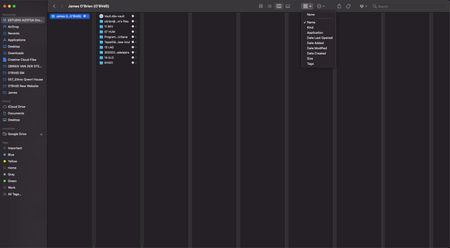
Sort by name not working on DropBox app for Mac.
Hi, could someone please let me know why the folders in my dropbox application for desktop on Mac are not being ordered correctly by name? The settings are set so that they should be, and all other f...

Jay Dropbox Community Moderator
3 years agoDropbox Community ModeratorHi EmreCengiz, this seems to be related to Finder itself, and not Dropbox, since Dropbox doesn't control how files are sorted within the Finder window.

rljohnsn
3 years agoNew member | Level 2
@Jay Your response is patently false as dropbox managed directories are the only ones that do not follow Finder sorting. It's clearly a dropbox issue. Multiple users acknowledged it and provided screen shots.
- Sean S.142 years agoExplorer | Level 4
Confirmed. Sorting is broken in finder ONLY within the Dropbox folder on Dropbox v171.2.311 on MacOS Ventura 13.2.1 on Intel processors. I cross tested on an M1 Apple Silicon processor, also running Dropbox v171.2.311 and MacOS Ventura 13.2.1 and file sorting within the dropbox folder works as intended.
All of the usual troubleshooting steps were done - rebooting Dropbox, rebooting the computer and re-installing Dropbox. The issue appears specifically with Intel based Macs.
 Haumann2 years agoExplorer | Level 3
I experience the same issue. Sorting not working on columns but in all other views it does via Finder. Contrary to Sean S.14, I run an M1 chip in MacOS Ventura 13.3.1 (22E261) with Dropbox version v171.4.6182. Therefore it seems to be not only on Intel processors.
Restart, reboot etc. was done and the issue persists.

About Delete, Edit, and Organize
Solve issues with deleting, editing, and organizing files and folders in your Dropbox account.
The Dropbox Community team is active from Monday to Friday. We try to respond to you as soon as we can, usually within 2 hours.
If you need more help you can view your support options (expected response time for an email or ticket is 24 hours), or contact us on X, Facebook or Instagram.
For more info on available support options for your Dropbox plan, see this article.
If you found the answer to your question in this Community thread, please 'like' the post to say thanks and to let us know it was useful!


