Your workflow is unique 👨💻 - tell us how you use Dropbox here.
Forum Discussion

Zandiver
2 years agoHelpful | Level 5
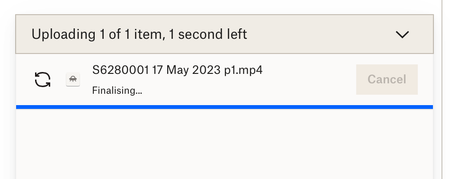
1.84 GB mp4 sync stuck on "finalizing" during website upload
My iMac keeps freezing because it's having problems uploading and syncing a 1.84 GB mp4 file. I have v175.4.5569 of the desktop app installed. This has been going on for 3 days now. I've checked my p...

Zandiver
2 years agoHelpful | Level 5
I think you are right re it being something about the file itself. I tried zipping it and it stalled at 1.2 GB (out of 1.84) and then crashed my iMac. I will try stripping the audio out of the file so I can salvage something, then delete it.
Other than that, I love Dropbox and really appreciate the help I've had from this forum. Thank you.

Jay Dropbox Community Moderator
2 years agoDropbox Community ModeratorEven if a file was invalid in some form, it should still upload to the site or in the app, which is why this is confusing.
However, since even the zip failed, it could be something more fundamental, for instance, if the file was stored on a section of hard drive that is failing and it can't access a sector the file is on.
Keep me updated with any new information you have.
About Create, Upload, and Share
Find help to solve issues with creating, uploading, and sharing files and folders with Dropbox.
The Dropbox Community team is active from Monday to Friday. We try to respond to you as soon as we can, usually within 2 hours.
If you need more help you can view your support options (expected response time for an email or ticket is 24 hours), or contact us on X, Facebook or Instagram.
For more info on available support options for your Dropbox plan, see this article.
If you found the answer to your question in this Community thread, please 'like' the post to say thanks and to let us know it was useful!


