Your workflow is unique 👨💻 - tell us how you use Dropbox here.
Forum Discussion

Zespo
2 years agoNew member | Level 2
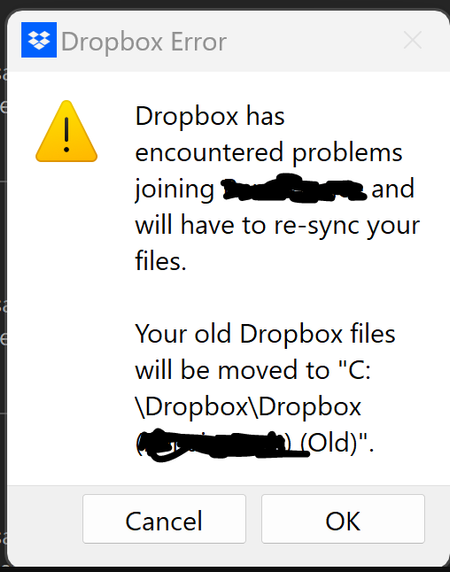
Dropbox app has to re-sync team folder
Hello all,
one of my users is experiencing this error "dropbox has encountered problems joining (team folder) and will have to re-sync your files". it then asks if they want to move it to (Team...

Walter Dropbox Community Moderator
2 years agoDropbox Community ModeratorHey James Cain - sorry to hear you had to go through all this.
I just wanted to mention that you can confirm which is your syncing Dropbox folder via the app's preferences under the sync tab, in order to delete the other folders.
For future references, in such cases, you can close any open files and restart the app to resolve this error.
About Create, Upload, and Share
Find help to solve issues with creating, uploading, and sharing files and folders with Dropbox.
The Dropbox Community team is active from Monday to Friday. We try to respond to you as soon as we can, usually within 2 hours.
If you need more help you can view your support options (expected response time for an email or ticket is 24 hours), or contact us on X, Facebook or Instagram.
For more info on available support options for your Dropbox plan, see this article.
If you found the answer to your question in this Community thread, please 'like' the post to say thanks and to let us know it was useful!


