Your workflow is unique 👨💻 - tell us how you use Dropbox here.
Forum Discussion

netmares
2 years agoExplorer | Level 4
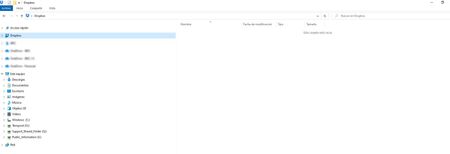
Empty dropbox in the file explorer whereas files are visible in the web browser
Hi,
I belong to a dropbox folder which is shared between different users, to share files. I have Edit permission. When logging into my dropbox account through a web browser I can see this folde...
- 2 years ago
As this a shared folder that they renamed? If so, then the renaming doesn't apply to anyone else apart from that user.
You'll need to amend the folder name manually on the site to remove the : symbol.

Jay Dropbox Community Moderator
2 years agoDropbox Community ModeratorHi netmares, thanks for bringing this to our attention.
Could you try rebooting the machine to see if this helps?
Keep me updated with any progress!

netmares
2 years agoExplorer | Level 4
Hi Jay,
I did it but afterwards the dropbox folder in my PC is still empty.
- Jay2 years ago
When you click the Dropbox icon in the system tray near the clock, what message do you see on the bottom left?
- netmares2 years agoExplorer | Level 4
I see the following... no activity and sync record, and your files are updated message in the bottom. In my dropbox account through web browser I can see the folder shared to me, the subfolders and all files.
- Jay2 years ago
Are you certain this is the same Dropbox account as the one on the site? The Dropbox desktop application is showing no files having recently been synced, and that it is fully updated.
Could you click the top right icon with MA in it, then Preferences and Account, and let me know if this is the same account as that signed into on the site?
About Create, Upload, and Share
Find help to solve issues with creating, uploading, and sharing files and folders with Dropbox.
The Dropbox Community team is active from Monday to Friday. We try to respond to you as soon as we can, usually within 2 hours.
If you need more help you can view your support options (expected response time for an email or ticket is 24 hours), or contact us on X, Facebook or Instagram.
For more info on available support options for your Dropbox plan, see this article.
If you found the answer to your question in this Community thread, please 'like' the post to say thanks and to let us know it was useful!


