Your workflow is unique 👨💻 - tell us how you use Dropbox here.
Forum Discussion

MrRichie
1 year agoExplorer | Level 3
Mac OS - Files are unable to sync according to the desktop app
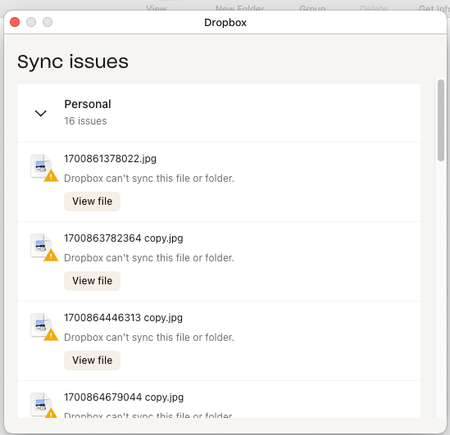
I am getting the sync issues message with macos. When I press the "view file" button, nothing happens if finder is not already open. If a finder window is already open, it just brings finder to t...

TK4108
1 year agoExplorer | Level 3
I'm having the same problem with Sonoma 14.5 and Dropbox 203.4.4857. I've reinstalled the app. I've also tried logging out and back in. The files can be found both locally and in Dropbox online, but I'm still getting sync errors. Some file have been synced for well over a year.
TK4108
1 year agoExplorer | Level 3
It looks like I was able to fix my problem, which may be the same as yours. Some how the permissions for one very large folder got messed up. I went one level higher, where the file permissions were correct, and applied the correct permissions to all the enclosed folders. After that, the folder was able to sync properly. I hope that this helps!
About Create, Upload, and Share
Find help to solve issues with creating, uploading, and sharing files and folders with Dropbox.
The Dropbox Community team is active from Monday to Friday. We try to respond to you as soon as we can, usually within 2 hours.
If you need more help you can view your support options (expected response time for an email or ticket is 24 hours), or contact us on X, Facebook or Instagram.
For more info on available support options for your Dropbox plan, see this article.
If you found the answer to your question in this Community thread, please 'like' the post to say thanks and to let us know it was useful!


