Your workflow is unique 👨💻 - tell us how you use Dropbox here.
Forum Discussion

korp_mac
3 years agoExplorer | Level 3
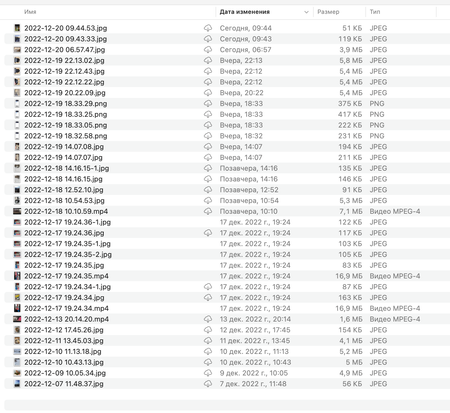
My files have a cloud icon; how can I make them sync to the computer?
After installing a new dropbox, the photos stopped syncing normally. They are visible as small previews, while the files have a cloud icon. How to return the previous mode of operation so that the fi...

Hannah Dropbox Community Moderator
3 years agoDropbox Community ModeratorHey korp_mac, welcome to our Community.
Have you tried selecting the files, right/control clicking on them and choosing 'make available offline' to see if that helps?
Let me know.

joshualux
3 years agoExplorer | Level 3
Hi Hannah,
i have the exact same problem - Dropbox markers even say that the file is "available offline" while the other icon (seems like an iCloud icon) says "not loaded". In fact these files have a filessize nearly as big as the actual file but have to be downloaded again when I want to open them.
this results in apps unable to open individual files as they seem "broken" before being downloaded again.
toggling those files on "available offline" does not change a thing.
seems to be an overlapping issue of iCloud and dropbox.
are there any solutions by now?
- Megan3 years ago
Hi joshualux, how are you today?
Which version of our app do you use on your end? Could you also send me a couple of screenshots of what you described, in order for me to have visual too?
Let me know!
- joshualux3 years agoExplorer | Level 3
v165.4.4300
it seems to be working now though...even if some files just do not want to sync to the m2 MacBook Air while they are syncing perfectly fine to older Macs including M1.
Also the App seems to be constantly syncing but not telling what it is actually doing & how long it will take...see screenshot below in the left bottom corner.


About Create, Upload, and Share
Find help to solve issues with creating, uploading, and sharing files and folders with Dropbox.
The Dropbox Community team is active from Monday to Friday. We try to respond to you as soon as we can, usually within 2 hours.
If you need more help you can view your support options (expected response time for an email or ticket is 24 hours), or contact us on X, Facebook or Instagram.
For more info on available support options for your Dropbox plan, see this article.
If you found the answer to your question in this Community thread, please 'like' the post to say thanks and to let us know it was useful!


