Your workflow is unique 👨💻 - tell us how you use Dropbox here.
Forum Discussion

jarvist
5 months agoNew member | Level 2
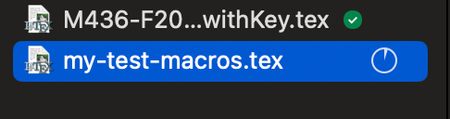
Syncing is suddenly very slow/stopped after the last desktop app update
Device M4 MacBook Pro Operating System/Browser (if using the web) Sequoia 15.7.1 Dropbox App Version (if using the app) 233.4.4938 Syncing Status Synching... (does not say how many files)
Q...


cyeager
5 months agoNew member | Level 2
Megan First noticed last night. Uploaded a similar file on 9/30 with no issue. I was able to upload the 1.2GB file this morning through the desktop app. I did not try and upload it through the website, I should have, but I had a pressing deadline and couldn't risk any shenanigans if it got hung up again using Dropbox. Uploaded it through Google Drive in 20 minutes. (So again, this wasn't a network issue or internet upload speed issue for me.)
The app version I have is 233.4.4938. The sync status is currently up to date.

About Create, Upload, and Share
Find help to solve issues with creating, uploading, and sharing files and folders with Dropbox.
The Dropbox Community team is active from Monday to Friday. We try to respond to you as soon as we can, usually within 2 hours.
If you need more help you can view your support options (expected response time for an email or ticket is 24 hours), or contact us on X, Facebook or Instagram.
For more info on available support options for your Dropbox plan, see this article.
If you found the answer to your question in this Community thread, please 'like' the post to say thanks and to let us know it was useful!


