Your workflow is unique 👨💻 - tell us how you use Dropbox here.
Forum Discussion

sheridap
3 years agoNew member | Level 2
Why am I getting a "Can't create folder" error when attempting to create a folder via web ui?
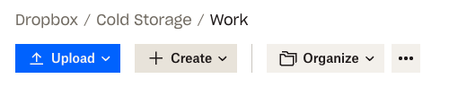
see screenshots below on the sequence. very frustrating an lacking in-app help of any kind to explain why.
thanks in advance for help/ thoughts.
1 - navigate to menu
2 - select crea...

sunnie1ee
2 years agoHelpful | Level 6
Nope, I’ve tried different things including ‘test’. No extensions. Seems to be working on and off for some reason.

Jay Dropbox Community Moderator
2 years agoDropbox Community ModeratorAre you able to create a folder in the root folder of the Dropbox account online, or do you get the same error as when creating it in that folder you showed?
 WithFeeling2 years agoExplorer | Level 3
Hey there! - Was this ever solved? i am admin but i am unable to see any content in admin view, or add folders, change folder names in the top level, and this is the reason i am unable to copy and share links. Please help!
- WithFeeling2 years agoExplorer | Level 3
I am the admin of our Dropbox account, and I first noticed it was weird when I wasn't able to copy the links of folders/files I created. But the other members of the company had no issues - the error in the top right of the screen would say 'Couldn't copy link, Check your internet connection and try again" and if i did this on the browser, it would say "Couldnt copy, it might be a fluke, try reloading the page" - I am unable to see anything in Admin view, so i am unable to add folders, or do anything! its been going on for 2 weeks and havent had any luck with tech support yet.
We pay a lot of money for this and our company runs on it!
any ideas?
- Mark2 years ago
Super User II
That sounds like a connection issue between your machine and the servers.
Have you checked that a firewall isnt blocking you, that your time/date/timezones are correct and up to date?

About Create, upload, and share
Find help to solve issues with creating, uploading, and sharing files and folders in Dropbox. Get support and advice from the Dropbox Community.
The Dropbox Community team is active from Monday to Friday. We try to respond to you as soon as we can, usually within 2 hours.
If you need more help you can view your support options (expected response time for an email or ticket is 24 hours), or contact us on X, Facebook or Instagram.
For more info on available support options for your Dropbox plan, see this article.
If you found the answer to your question in this Community thread, please 'like' the post to say thanks and to let us know it was useful!


