Your workflow is unique 👨💻 - tell us how you use Dropbox here.
Forum Discussion

Michael N.28
4 years agoCollaborator | Level 8
Why does DropBox rename photos based on modification date rather than creation date?
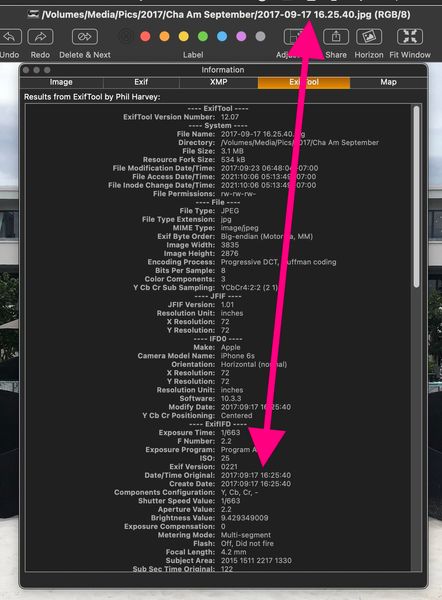
Previously, DropBox renamed camera uploads based on the photos creation date (EXIF: Date/Time Original). This makes sense because you want the photos to be name-sorted based on when they were taken. ...

Megan Dropbox Community Moderator
3 years agoDropbox Community ModeratorHi Hyoga79, I hope you're doing well!
When you say you upload content using your photo library, do you mean that you access your camera roll, select the content you want to upload, and then share with Dropbox?
Have you been using camera uploads, or manual uploads, by any chance? Feel free to clarify, so I can have the precise idea of the steps you're following.
Also, send me a couple of screenshots of the behavior you mentioned, in order for me to have a closer look into this.
Thanks a bunch!

Hyoga79
3 years agoExplorer | Level 4
hello. I directly enter the dropbox app and click on the "upload photos" option (manual uploads), select 50-60 files and upload them to dropbox with the name of the date the photo was taken. then from my pc I download the photos to a hard drive. that's the mechanism I usually use.
I'm sorry but I don't know how to upload screenshots to this post.
I'm sorry but I don't know how to upload screenshots to this post.
- Jay3 years ago
Hi Hyoga79, if you're uploading photos manually, then Dropbox would get the name of the photos from your phone, which isn't determined by Dropbox.
If this has changed recently, then it's possible it could be due to any upgrade or other setting change on your phone.
- Hyoga793 years agoExplorer | Level 4It can't be that because my wife has the same phone and the same version installed and it doesn't happen to her. it didn't happen to me before
- Hyoga793 years agoExplorer | Level 4
Jay The problem is that it is uploaded with the date of the moment I click on upload. It is something strange that has never happened to me before.
- Jay3 years ago
When you do manual uploads, the date and time would be of the moment you upload. Using the automatic camera upload feature would have the correct date/time of the file.

About Create, Upload, and Share
Find help to solve issues with creating, uploading, and sharing files and folders with Dropbox.
The Dropbox Community team is active from Monday to Friday. We try to respond to you as soon as we can, usually within 2 hours.
If you need more help you can view your support options (expected response time for an email or ticket is 24 hours), or contact us on X, Facebook or Instagram.
For more info on available support options for your Dropbox plan, see this article.
If you found the answer to your question in this Community thread, please 'like' the post to say thanks and to let us know it was useful!


