Your workflow is unique 👨💻 - tell us how you use Dropbox here.
Forum Discussion

Steven424
1 year agoExplorer | Level 4
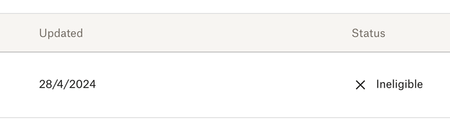
Dropbox referral not working - it shows as "ineligible"
Hi,
I was referred to Dropbox by my friend and none of us got the additional storage. It says ineligible and I've never even used Dropbox before.. This is my first time.. Can someone help me pl...

Mark Super User II
1 year agoSuper User IIThat usually happens if you are using a similar network/device that somebody else has used.
Are you on a device which has had Dropbox on before?

Steven424
1 year agoExplorer | Level 4
We are on the same network but at his house. Does that matter? I've never had Dropbox before.
- Здравко1 year agoLegendary | Level 20
Steven424 wrote:We are on the same network but at his house. Does that matter? ...
Hi Steven424,
Yes, this matters, unfortunately. I was in the same situation some time ago. The only because from time to time invited persons use the same network (like in your case - at home), there was a message like yours. At the moment even that message doesn't show anymore - no any trace to that try for invitation. 🤷 That's it.

About Storage Space
Looking for help with managing the storage space in your Dropbox account? Talk to the Dropbox Community and get advice from members.
The Dropbox Community team is active from Monday to Friday. We try to respond to you as soon as we can, usually within 2 hours.
If you need more help you can view your support options (expected response time for an email or ticket is 24 hours), or contact us on X, Facebook or Instagram.
For more info on available support options for your Dropbox plan, see this article.
If you found the answer to your question in this Community thread, please 'like' the post to say thanks and to let us know it was useful!


