Need to see if your shared folder is taking up space on your dropbox 👨💻? Find out how to check here.
Forum Discussion

GlenM
8 months agoNew member | Level 2
Dropbox says I'm using more space than I do, but I don't see this anywhere.
Hi. My dropbox account is listing more than twice the amount of storage space used than the total from the folders that I have. I have zero regular files, and have never used backup. I have two share...
- 8 months ago
Welcome aboard the Community, GlenM!
Thanks for all the screenshots you’ve provided! They’re much appreciated and they really help.
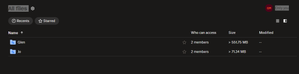
From what I can see from your first screenshot (the one from the “All files” tab), there’s an estimate size showing for your shared folders.
Since the “Jo" folder is 326MB, can you also try to calculate the size of the “Glen" folder and let me know what you find?
Keep me posted for any updates.

GlenM
8 months agoNew member | Level 2
Hi, thanks for getting back to me.
Yeah, the size has now been updated and matches. I thought it was just calculating the 'Jo' folder incorrectly due to ignoring the subfolders, and since there are no subfolders in the 'Glen' folder, I didn't realise it was miscalculating that one as well.
Thanks for the help.

Nancy Dropbox Community Moderator
8 months agoDropbox Community ModeratorMy pleasure, Glen! You can always give me a nudge, if you need something else.
About Storage Space
Looking for help with managing the storage space in your Dropbox account? Talk to the Dropbox Community and get advice from members.
The Dropbox Community team is active from Monday to Friday. We try to respond to you as soon as we can, usually within 2 hours.
If you need more help you can view your support options (expected response time for an email or ticket is 24 hours), or contact us on X, Facebook or Instagram.
For more info on available support options for your Dropbox plan, see this article.
If you found the answer to your question in this Community thread, please 'like' the post to say thanks and to let us know it was useful!


